
RTSP Inspector RTSP software for proving why an IP camera stream fails.
Turn camera black screens, VLC-vs-VMS mismatches, ONVIF handoff failures, blocked UDP media, RTP loss, and H.264/H.265 codec problems into a report a customer, vendor, or support team can act on.
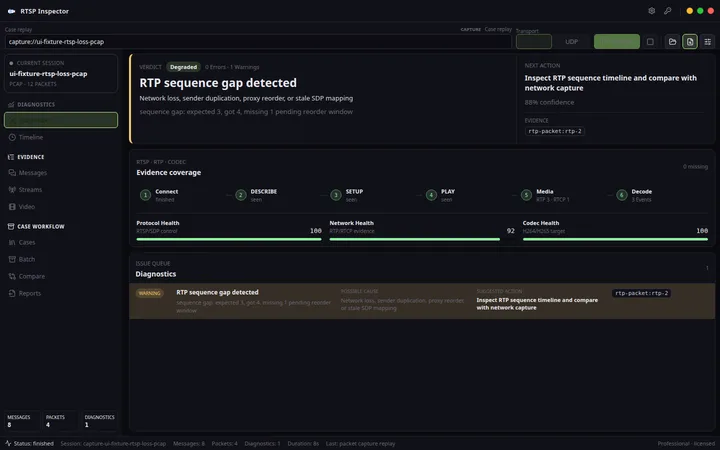
Views
Product views
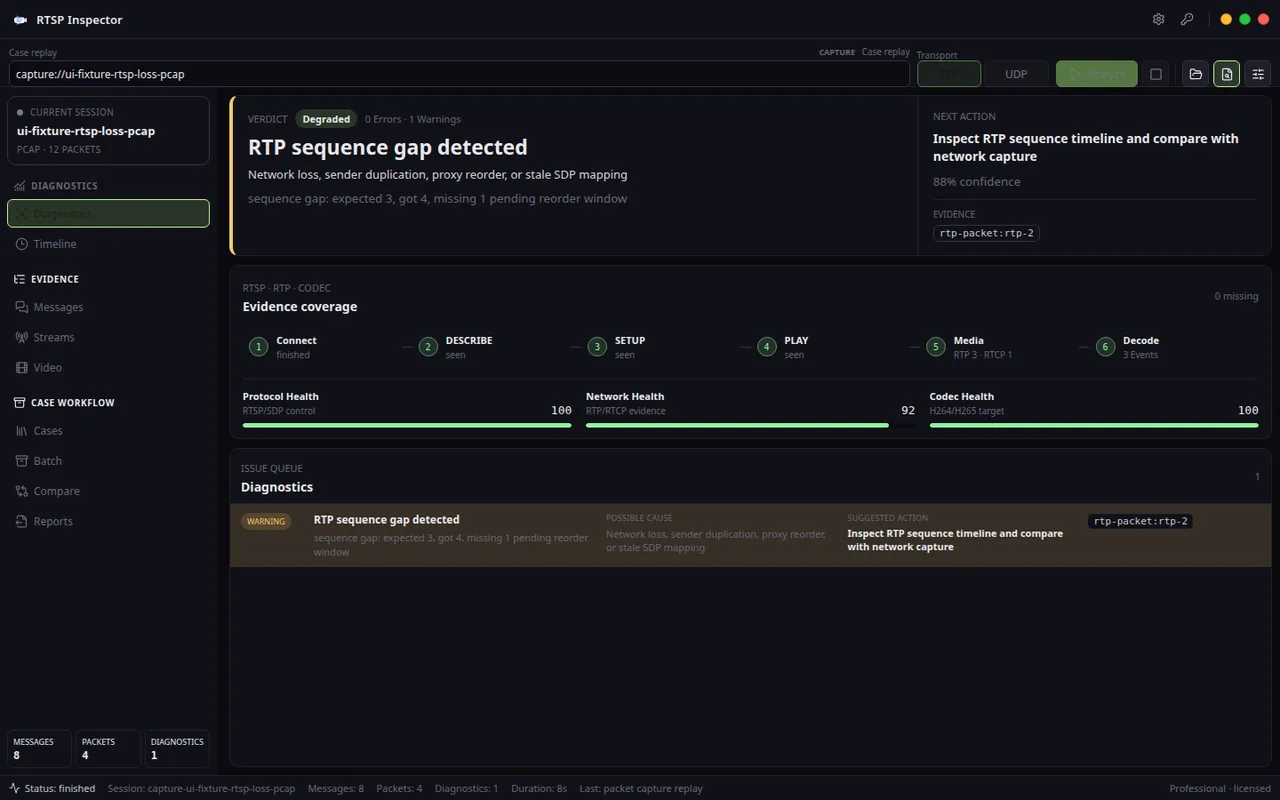
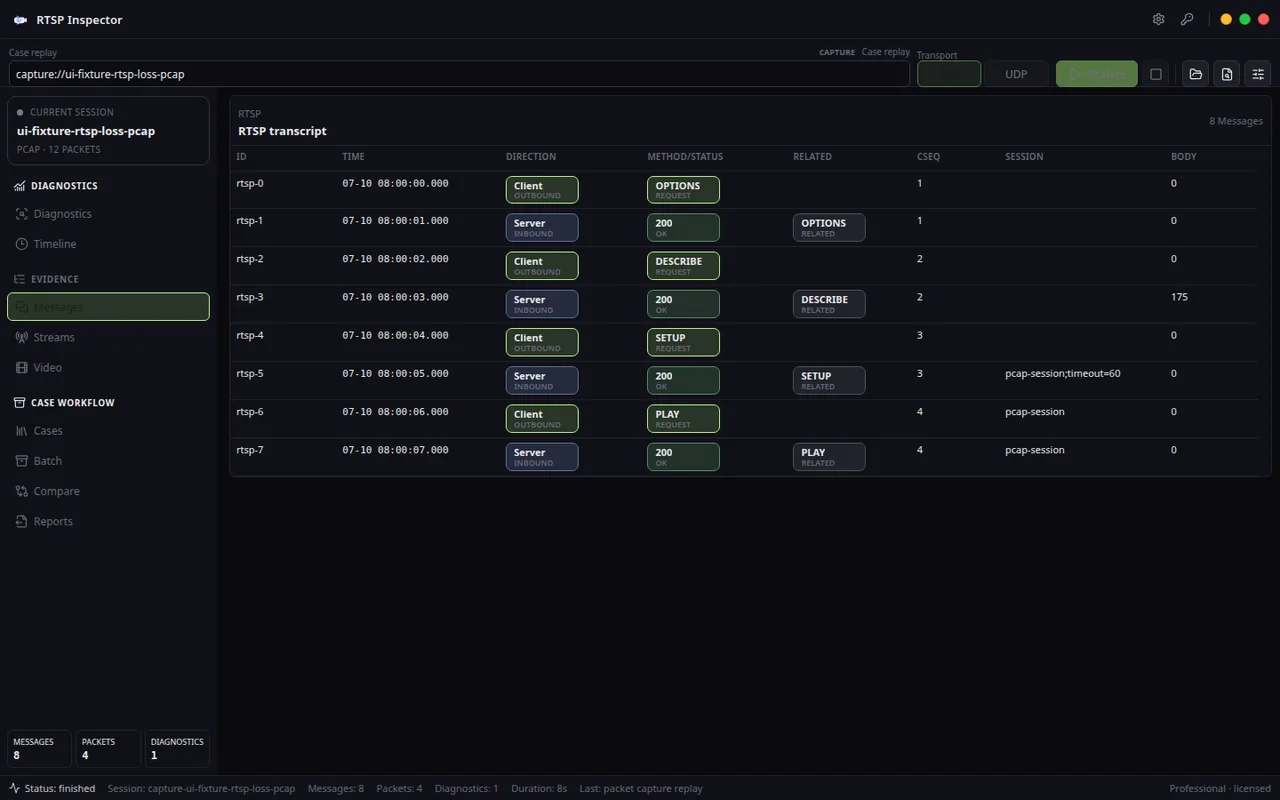
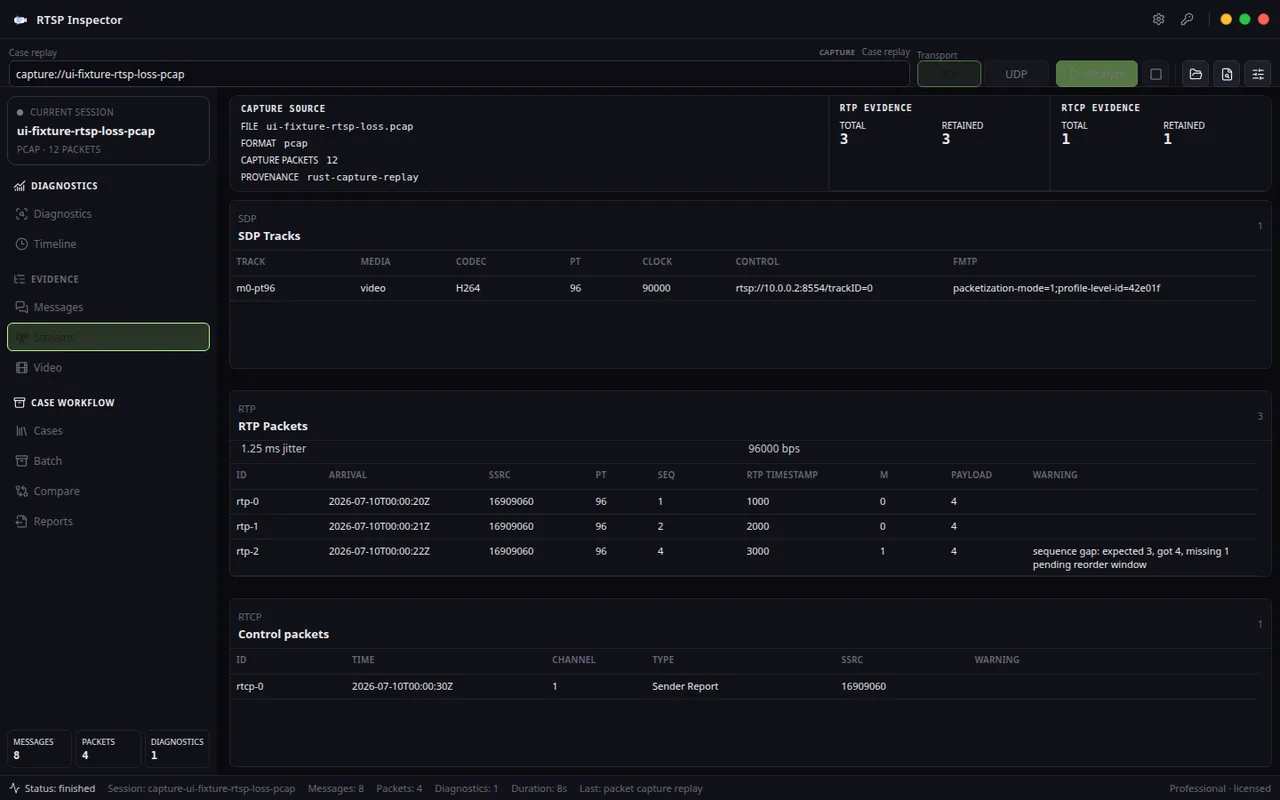
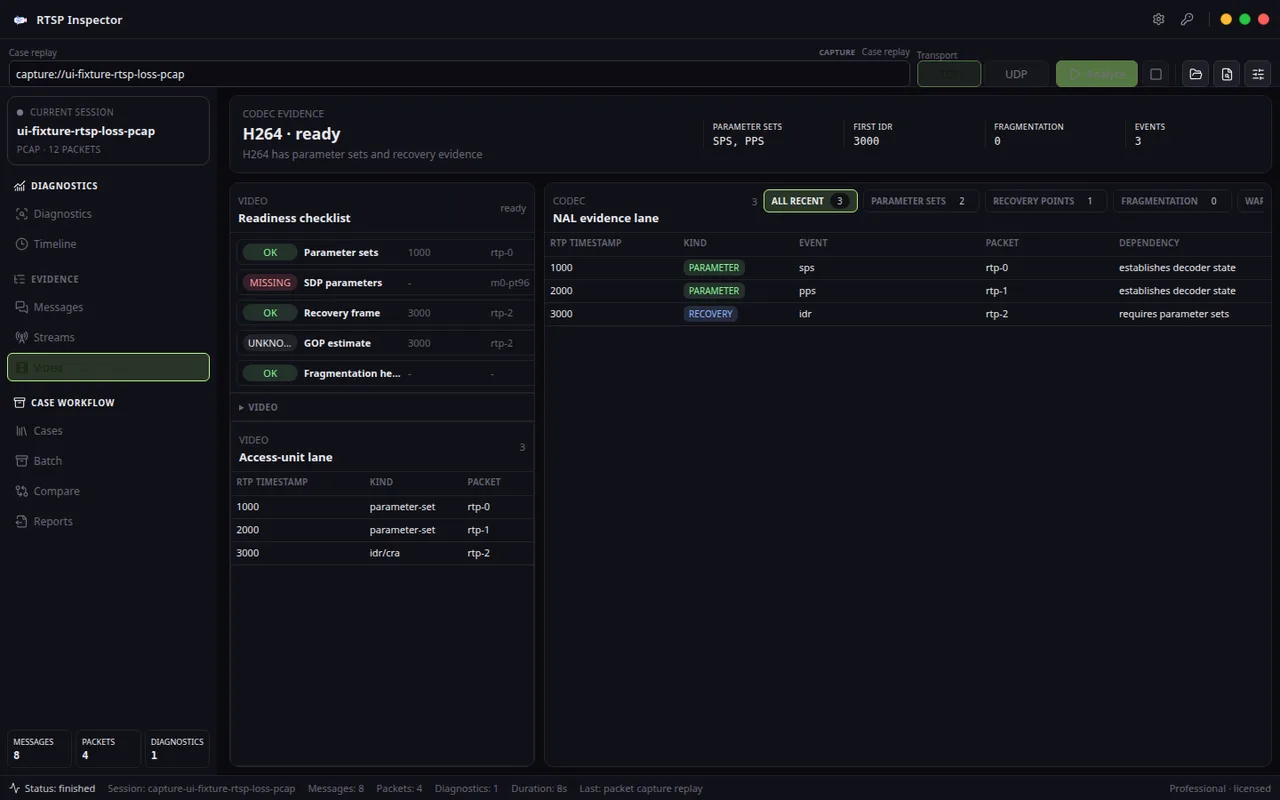
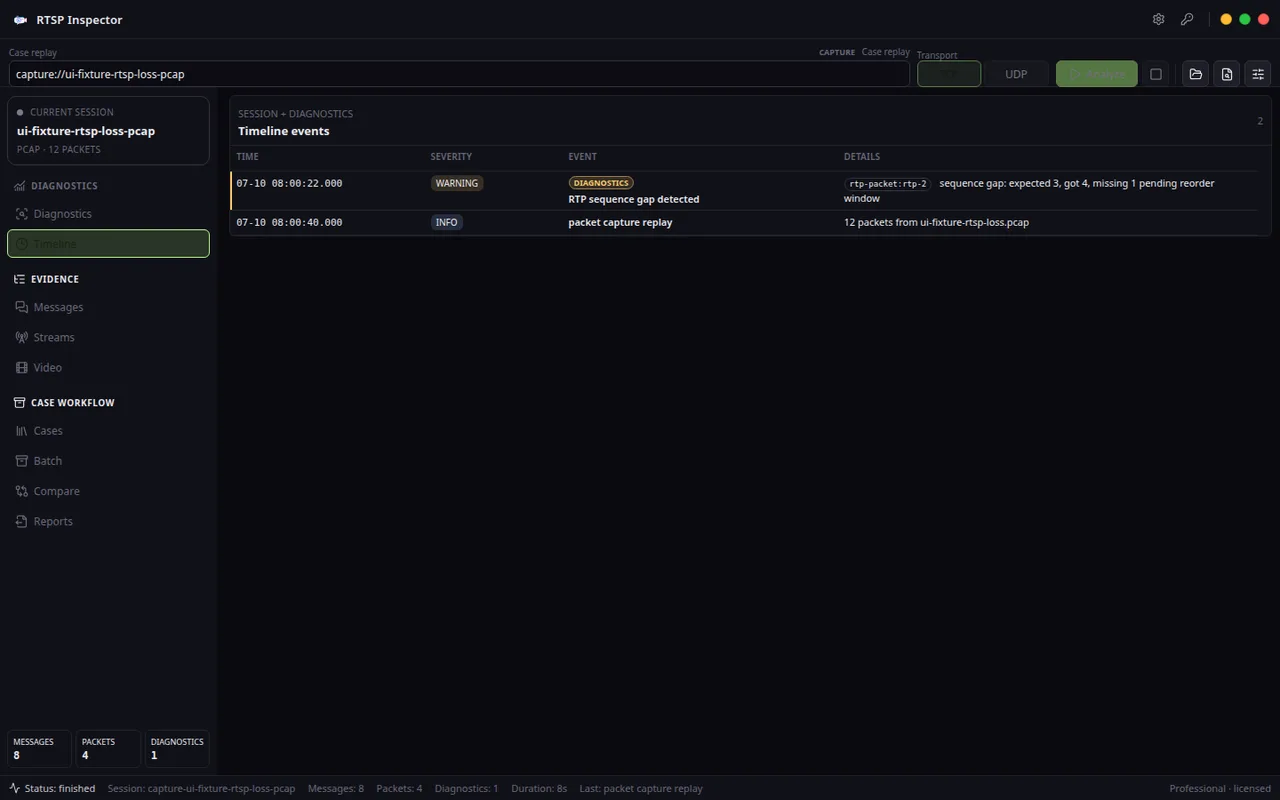
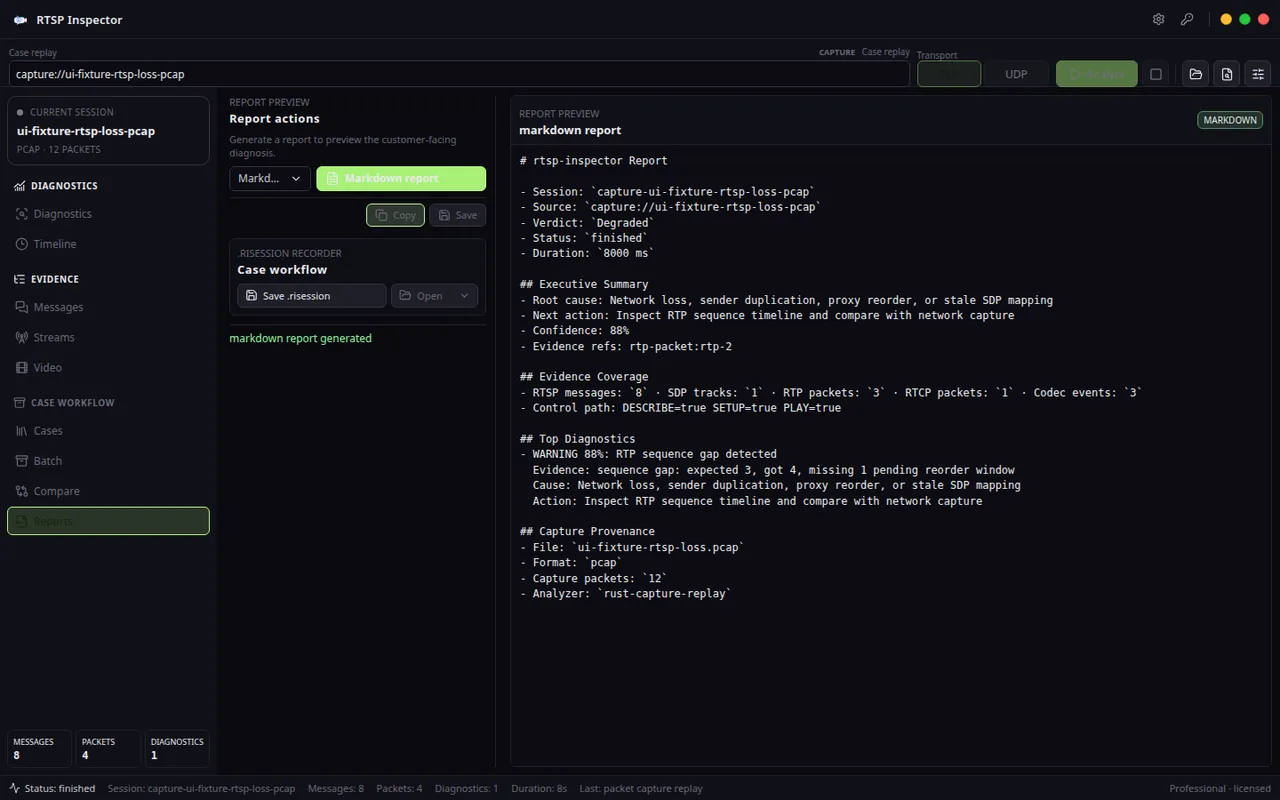
Workflow paths
Enter by the job, not by the protocol acronym.
RTSP Inspector is useful when a team needs to prove whether the camera, network, NVR, VMS, player, codec path, device, file, or local workflow owns the failure.
RTSP troubleshooting reports for CCTV installers
Turn black-screen camera calls, NVR blame, ONVIF handoff confusion, UDP firewall failures, and codec disputes into evidence a customer can understand.
RTSP failure triage for VMS and NVR support teams
Ask for the right stream evidence before escalating to engineering: RTSP status, SDP, transport negotiation, RTP/RTCP health, and codec readiness.
RTSP, SDP, RTP, and codec QA for IP camera vendors
Validate DESCRIBE, SDP tracks, UDP/TCP media behavior, H.264/H.265 parameter sets, and firmware regressions before customers find them.
Sample reports
See what the handoff looks like.
Public examples show how the product turns failure symptoms, local evidence, and next actions into something a customer, vendor, teammate, or clinic operator can read.
Camera connects but video is black
A sample report that separates RTSP control success from missing usable H.264 parameter-set evidence.
RTSP works over TCP but UDP media is blocked
A sample report for cameras that negotiate UDP but never deliver RTP packets to the client.
ONVIF works but the RTSP URL fails
A sample report for cameras that are discoverable through ONVIF but fail at the RTSP URL, profile, or SDP handoff.
VLC plays but the VMS cannot decode H.265
A sample report that turns a player compatibility dispute into SDP, RTP, and codec-readiness evidence.
Field evidence, not player guesswork
Find the exact camera-stream failure boundary before the blame loop starts.
RTSP Inspector is the focused local desktop workbench for teams that need to explain CCTV and IP camera failures across RTSP/RTP/RTCP/SDP, H.264/H.265 structure, transport choice, and reportable evidence.
Control plane answers first
- RTSP OPTIONS, DESCRIBE, SETUP, and PLAY stay in one timeline with status codes, CSeq behavior, headers, and redacted authentication evidence.
- SDP track inspection exposes codecs, payload types, clock rates, control URLs, and missing media declarations before you blame the decoder.
- Bad paths, 401 loops, unsupported transport replies, ONVIF handoff mistakes, and server-side failures become visible protocol events instead of vague black-screen symptoms.
Media flow gets measured
- RTP continuity, packet loss, duplicates, reordering, jitter, malformed packets, and SSRC changes are surfaced beside the RTSP session that produced them.
- RTCP sender reports, packet counts, timing evidence, and CNAME context help separate network delivery problems from camera timing problems.
- H264/H265 structural inspection helps prove whether the stream is missing parameter sets, fragmenting badly, or advertising a codec it does not deliver cleanly.
Built for cases, not screenshots
- .risession save/open, Case Library, and replay workflows keep the normalized evidence reusable when a customer, vendor, or field team needs the same diagnosis later.
- Professional reports export as PDF, HTML, Markdown, and saved JSON so the answer can leave the app without rewriting notes by hand.
- The app stays local on the desktop and focused on evidence handoff, not NVR playback, generic packet browsing, or cloud upload flows.
A focused field report beats another hour on site
- Community is enough to preview a single RTSP-over-TCP case; Professional unlocks UDP unicast receive, advanced H264/H265 checks, reports, and saved sessions.
- No subscription, no account dashboard to keep alive, and no improvised VLC/Wireshark/ONVIF toolchain just to explain one broken camera stream.
- Use it when a repeatable diagnostic report is worth more than another hour of arguing between RTSP control, RTP delivery, RTCP timing, SDP metadata, codec readiness, and network ownership.
Free
Single-stream live RTSP-over-TCP diagnosis and JSON report preview.
- Live RTSP-over-TCP inspection
- RTSP/RTP/RTCP/H264 evidence tables
- Diagnostics cockpit
- JSON report preview
Professional
One-time lifetime license that unlocks every paid desktop capability.
- PDF, HTML, Markdown, and saved JSON diagnostic reports
- .risession save/open
- RTP/RTCP over UDP unicast live receive
- Advanced H264/H265 structural inspection
- Case Library
Compare
RTSP Inspector vs Wireshark, VLC, and ONVIF Device Manager
The blue-marked column is the product on this page. The other names are comparison context for buyers who are deciding between focused desktop workflow, cloud accounts, subscriptions, and broader tools. Read why Hannes wins.
| Tool category | Primary job This product | Strong first question | Result that still needs another tool |
|---|---|---|---|
| RTSP Inspector | Explain a focused RTSP, SDP, RTP, RTCP, and codec case | “Where does this camera session first diverge from the expected protocol flow?” | A physical/network problem outside the retained session may need broader capture or infrastructure evidence |
| Wireshark | Inspect packets across a broad network capture | “What traversed this interface, across all relevant protocols?” | A support-ready RTSP narrative may still need filtering, correlation, and explanation |
| VLC | Play media and expose client logs or symptoms | “Can this URI produce usable playback in this client?” | Successful or failed playback does not by itself identify the control or media-plane cause |
| ONVIF management tooling | Discover cameras, inspect profiles, and manage supported device settings | “Which device/profile/URI should the client try?” | The advertised RTSP URI still needs protocol and media verification |
Before you choose RTSP Inspector
No. It is a diagnostic and reporting workbench for RTSP/RTP/RTCP/H.264/H.265 evidence. It does not replace VLC, an NVR, or an ONVIF manager.
Compare
RTSP Inspector
Turn camera black screens, VLC-vs-VMS mismatches, ONVIF handoff failures, blocked UDP media, RTP loss, and H.264/H.265 codec problems into a report a customer, vendor, or support team can act on.
Use cases and boundaries
When RTSP Inspector is the right tool.
RTSP control, RTP delivery, SDP tracks, and codec readiness
Turn an RTSP URL test into a failure report that explains whether setup, transport, RTP, or codec readiness owns the problem.
Workflow
-
When the camera opens in one tool but fails in another
Start with the authorized RTSP URL, inspect DESCRIBE, SETUP, PLAY, SDP tracks, RTP continuity, RTCP timing, and codec readiness, then export a report that explains where the stream fails.
Reference: RTSP Inspector vs VLC for Camera Debugging: Player or Evidence? -
When the site network is blamed too early
Compare TCP and UDP transport behavior, packet gaps, timeouts, and firewall symptoms before deciding whether the camera, client, or network owns the problem.
Reference: RTSP Inspector vs ONVIF Device Manager for Camera Stream Failures -
When support needs evidence instead of screenshots
Save the RTSP session with request logs, track details, transport decisions, packet timing, and decoder notes so another engineer can review the same case.
Reference: RTSP Inspector vs Wireshark, VLC, and ONVIF Device Manager -
When H.264 or H.265 playback depends on the client
Check payload types, parameter sets, keyframes, and decoder readiness so the report explains why one player is tolerant and another one rejects the stream.
Reference: RTSP Diagnostics FAQ for Camera Teams Debugging Stream Failures -
When a VMS integration stalls
Use the product to prove the boundary between camera output, RTSP negotiation, RTP delivery, and VMS expectations before changing camera or server settings.
Reference: RTSP Camera Stream Diagnostics: DESCRIBE to Playback -
When the issue must be handed to a vendor
Turn the stream test into a concise diagnostic package: failure boundary, observed evidence, likely cause, and the next action for firmware, QA, or support.
Reference: RTSP Main Stream Not Working but Sub Stream Works: What the Difference Proves