
Installer URL handoff
ONVIF works but the RTSP URL fails
Sample RTSP Inspector report for a camera that appears in ONVIF discovery but fails when the installer or VMS opens the RTSP media URL.
HTML preview
Evidence handoff preview
Failure boundary
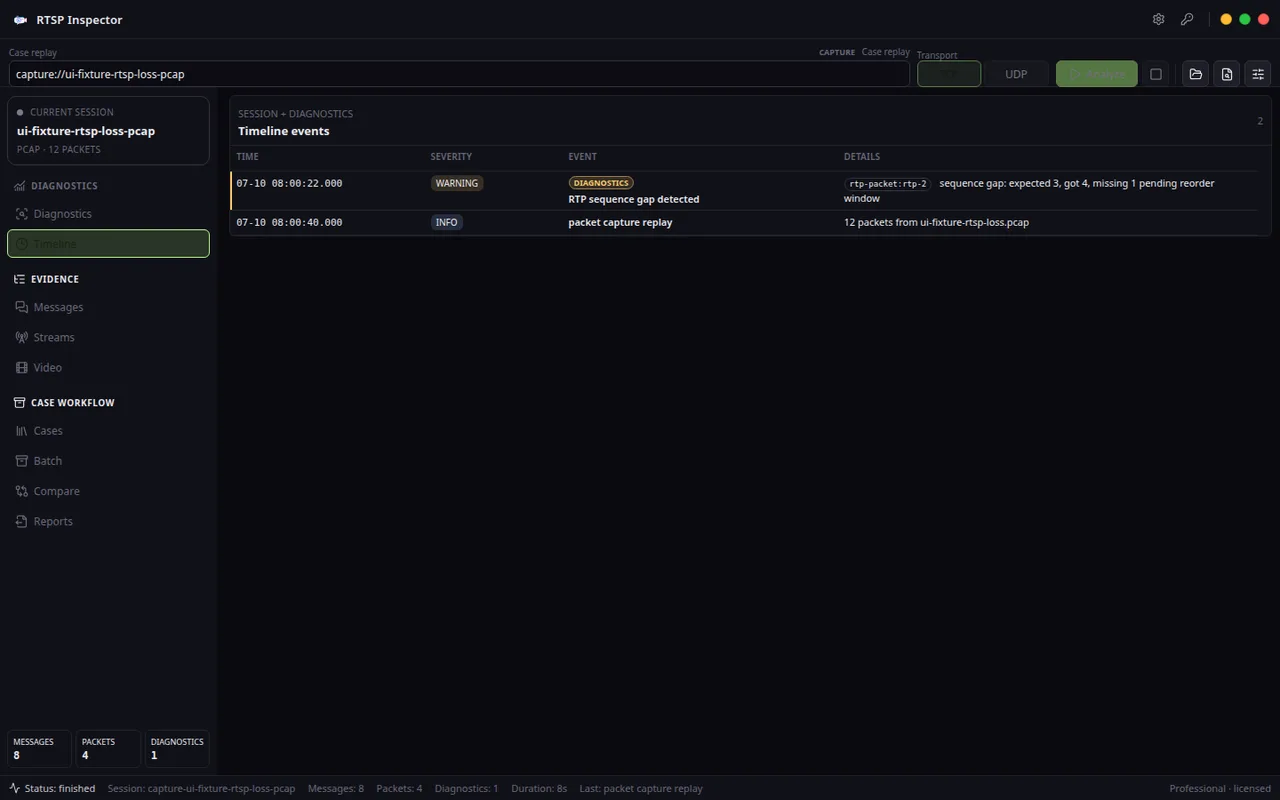
Device discovery succeeded outside the app, but RTSP DESCRIBE/SETUP did not reach a usable media session for the selected stream profile. Likely cause
The VMS or installer is using a stale RTSP URL, wrong stream profile, missing channel suffix, credential mismatch, or ONVIF-provided path that does not match the camera firmware's current media endpoint. Raw evidence excerpt
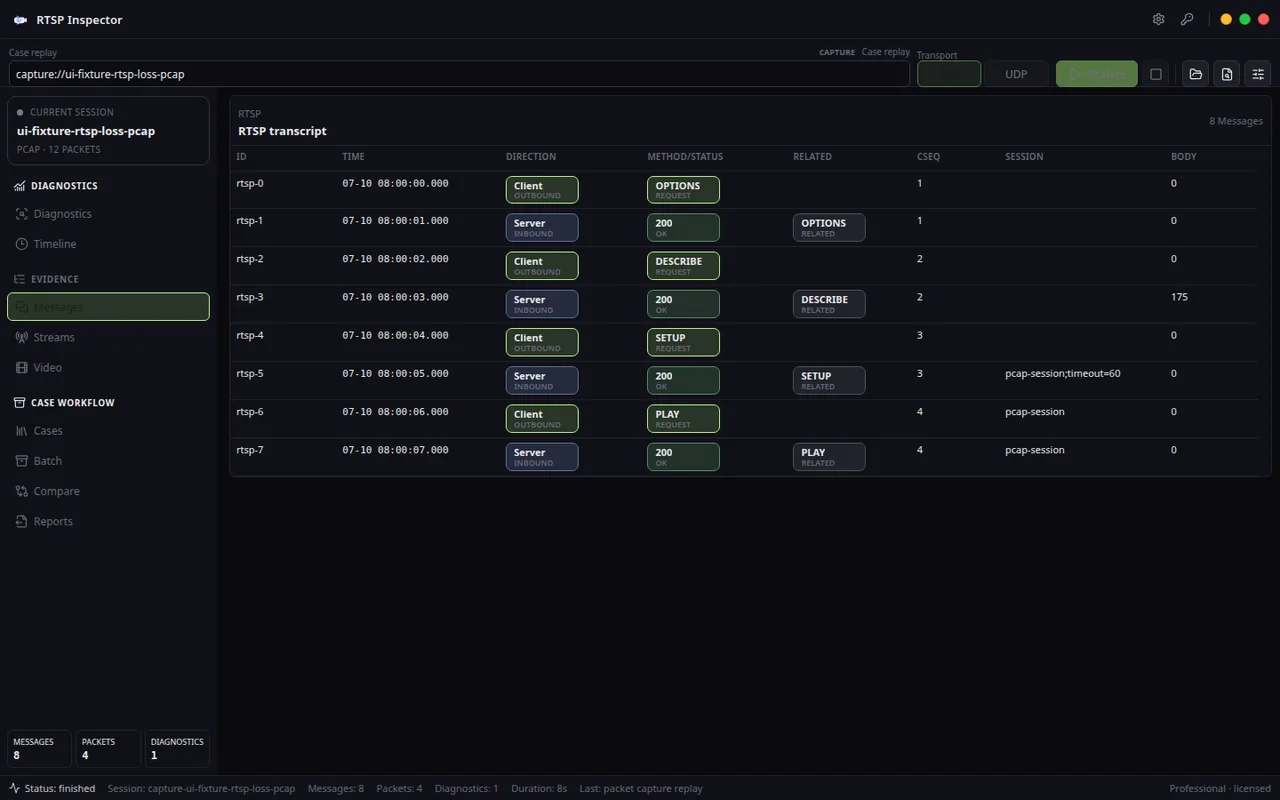
ONVIF device visible; RTSP DESCRIBE returns 404/454 or SDP track/control URL mismatch; alternate substream URL succeeds.- Summary ONVIF discovery proves the device is visible, but it does not prove the selected RTSP path, credentials, stream profile, or media control URL is usable. The failure boundary is the RTSP URL/profile handoff.
- Confidence Medium-high
Evidence screenshots
Evidence table
| Layer | Finding | Implication |
|---|---|---|
| ONVIF handoff | The camera is discoverable, but discovery is not the same as a validated media URL. | Do not replace hardware just because ONVIF and RTSP disagree. |
| RTSP DESCRIBE | The selected RTSP URL fails or returns SDP that does not describe the expected media profile. | The stream path, channel suffix, profile token, or credentials should be checked before blaming the NVR. |
| SETUP/control URL | The SDP control path may not resolve correctly for the selected stream. | A VMS can fail even when a browser, ONVIF tool, or vendor utility can see the camera. |
| Comparison stream | A substream or alternate vendor URL succeeds while the ONVIF-provided URL fails. | The fastest fix is usually URL/profile correction, not network replacement. |
Recommended fix
- Test the exact RTSP URL handed to the VMS, not only the ONVIF discovery result.
- Compare main stream and substream URLs; note which one reaches DESCRIBE and PLAY.
- Update the VMS camera profile or vendor URL template when firmware changes RTSP paths.
- Attach this report to the support ticket with the failing URL pattern and the working alternate profile.
RTSP Inspector turns RTSP control, SDP, RTP, RTCP, codec readiness, and transport findings into local PDF, HTML, Markdown, JSON, and saved .risession evidence.