
Firewall or NAT boundary
RTSP works over TCP but UDP media is blocked
Sample RTSP Inspector report for a camera that negotiates UDP transport but delivers no RTP media to the client.
HTML preview
Evidence handoff preview
Failure boundary
RTSP control and transport negotiation succeeded. UDP media did not arrive. TCP interleaved media is the working workaround. Likely cause
A firewall, NAT rule, VLAN boundary, VPN path, or host policy is blocking or misrouting UDP RTP/RTCP ports. Raw evidence excerpt
SETUP Transport: RTP/AVP;unicast;client_port=50000-50001; server accepted UDP; no matching RTP/RTCP received; TCP interleaved comparison produced media.- Summary The camera accepted RTSP control and SETUP for UDP unicast, but no matching RTP packets reached the client. TCP interleaved playback worked, which moves the failure boundary to UDP routing, firewall, NAT, or port policy.
- Confidence High
Evidence screenshots
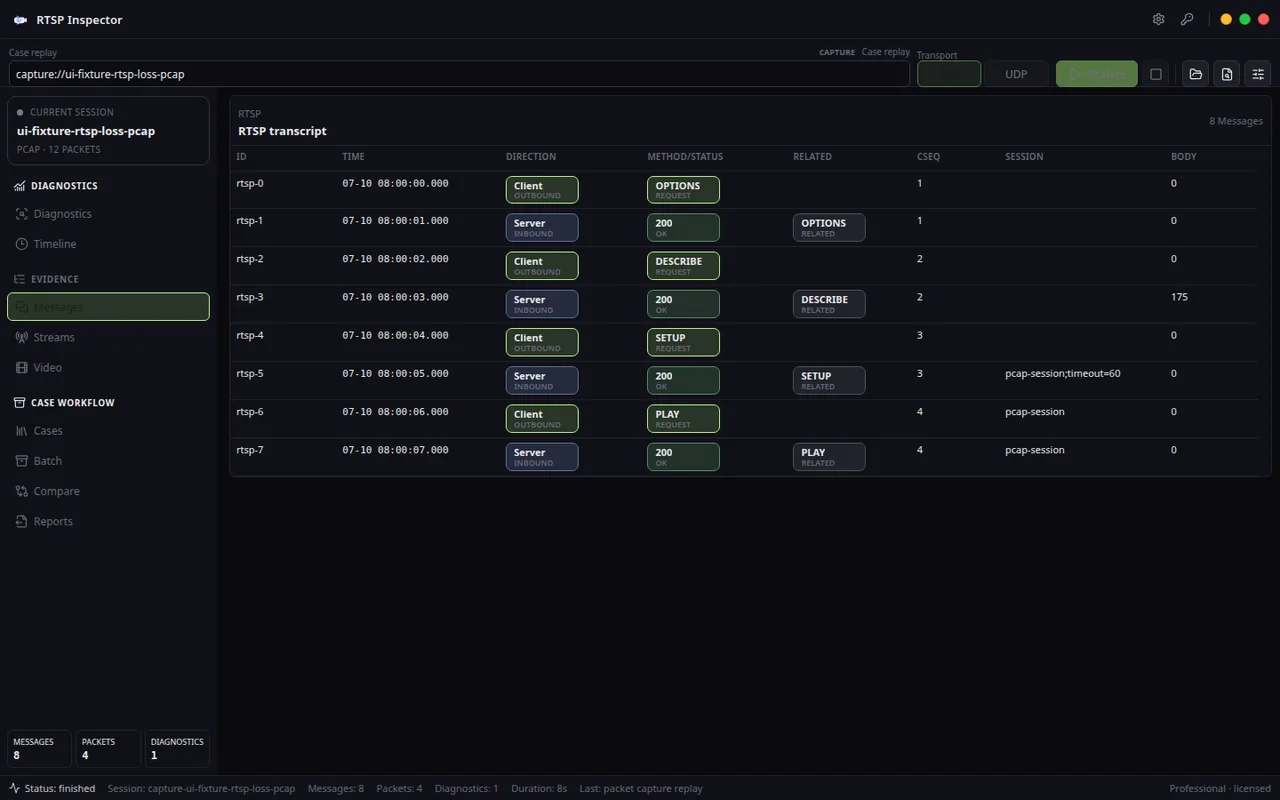
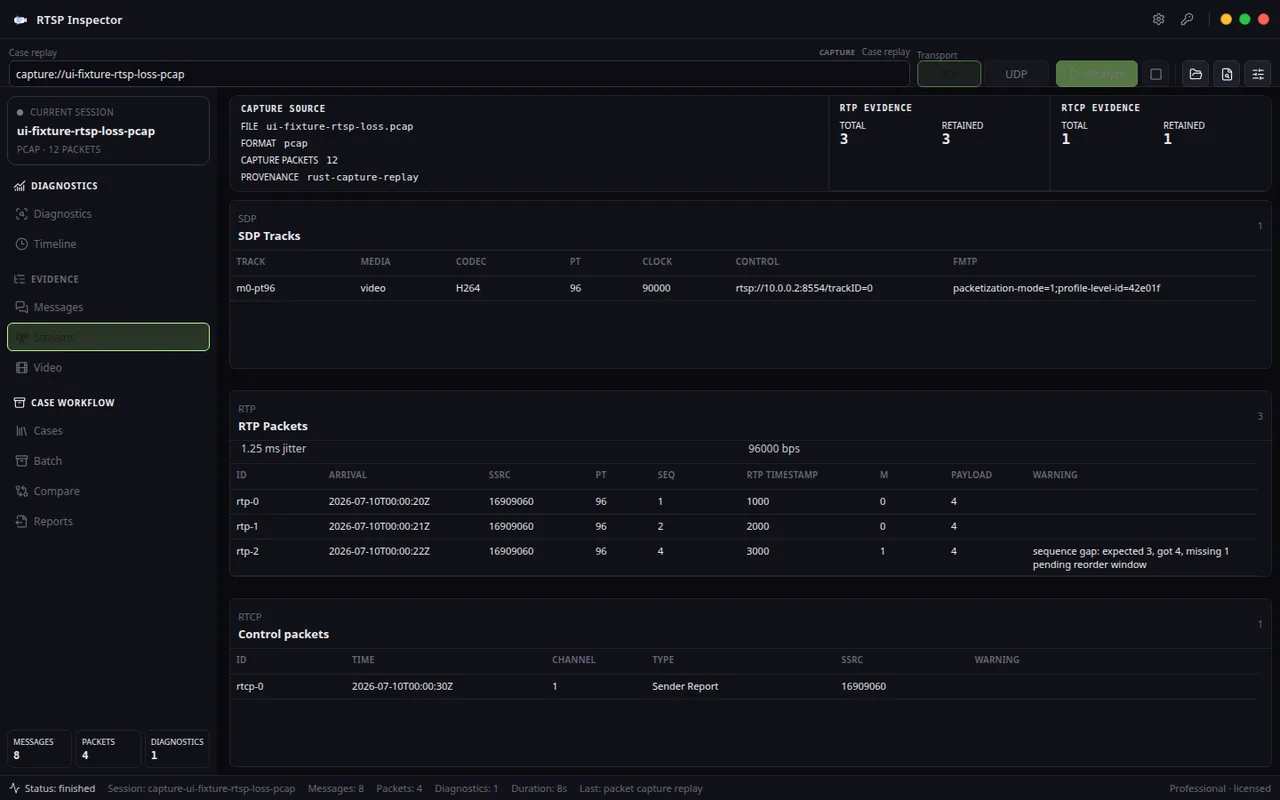
Evidence table
| Layer | Finding | Implication |
|---|---|---|
| RTSP SETUP | The server accepted UDP unicast transport and returned server/client port negotiation. | The camera supports the requested mode; this is not a simple unsupported-transport error. |
| RTP receive | No RTP packets matching the negotiated stream arrived within the capture window. | The media plane is blocked after control-plane success. |
| RTCP | No usable RTCP sender report was observed for the negotiated UDP path. | The media timing channel is blocked or never reaches the client. |
| TCP comparison | The same camera produced media when RTSP interleaved TCP was used. | Credentials, stream path, and codec are unlikely to be the primary failure. |
Recommended fix
- Open the negotiated UDP RTP and RTCP port range between the camera/NVR subnet and the client.
- If NAT or VPN is involved, prefer RTSP interleaved TCP unless symmetric UDP forwarding is controlled.
- Record the exact client and server ports from SETUP in the firewall ticket.
- Retest with the same RTSP URL using TCP interleaved mode as a temporary production workaround.
RTSP Inspector turns RTSP control, SDP, RTP, RTCP, codec readiness, and transport findings into local PDF, HTML, Markdown, JSON, and saved .risession evidence.