
Patch the signal path
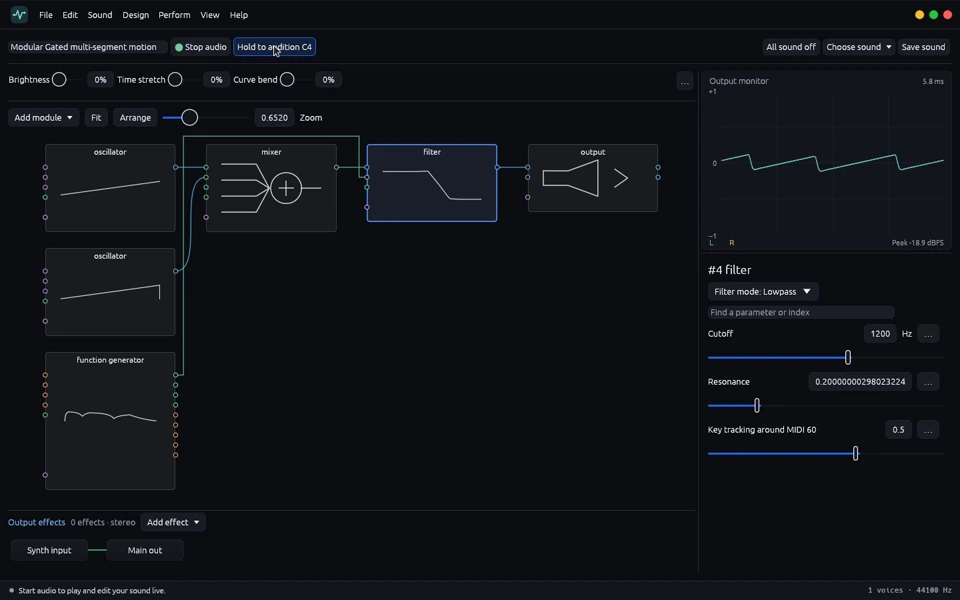
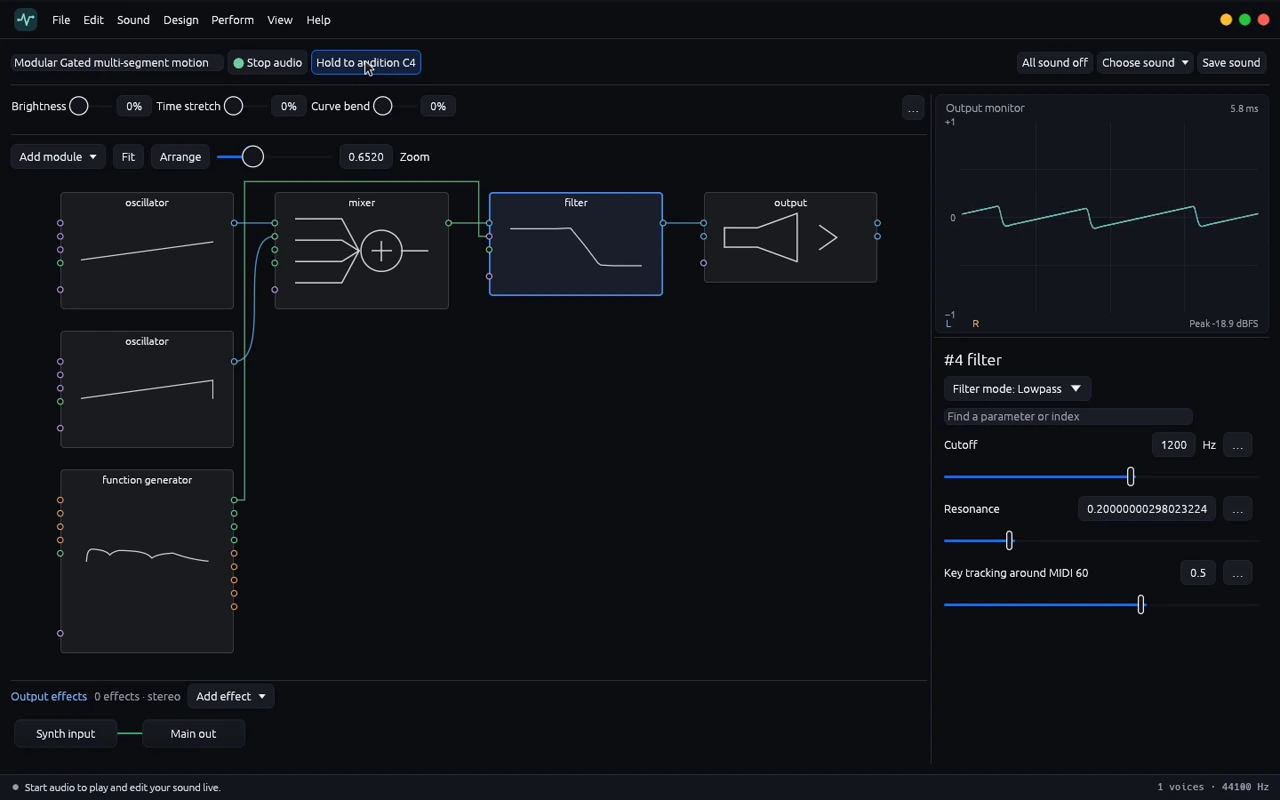
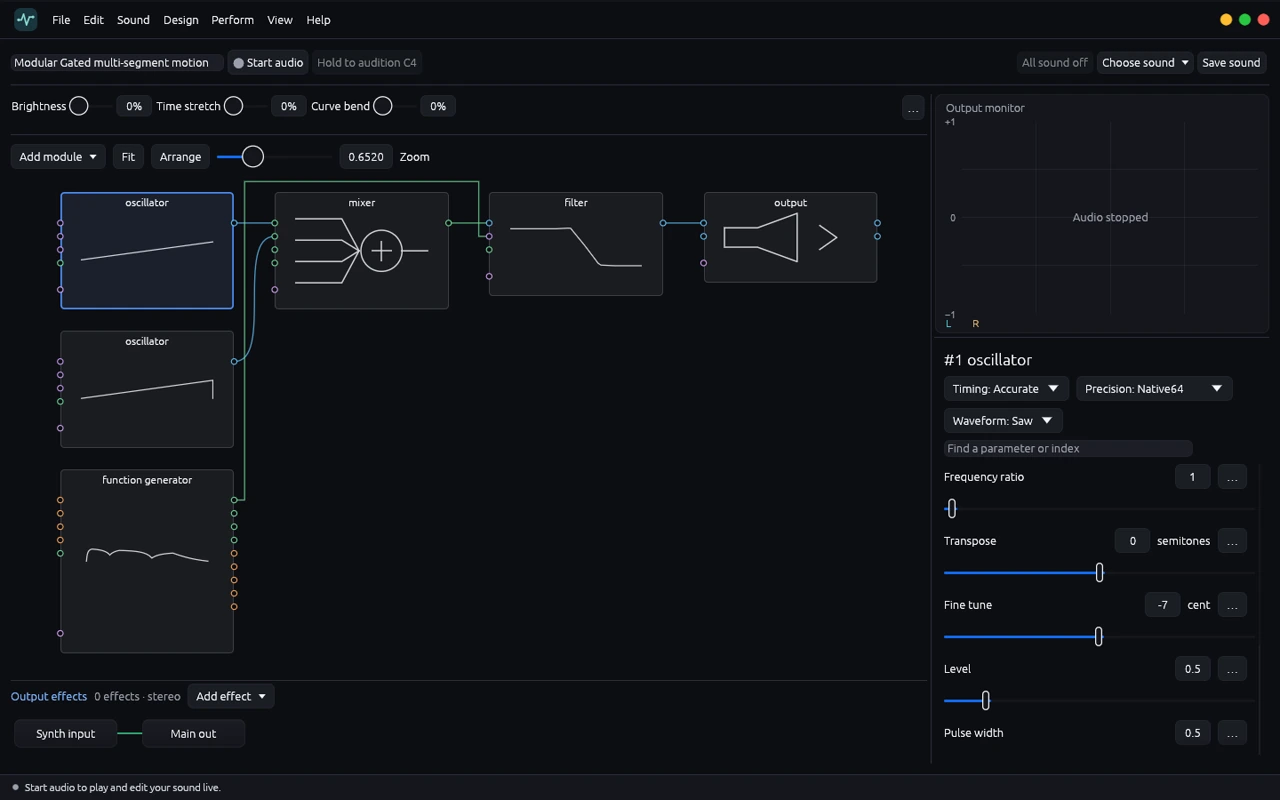
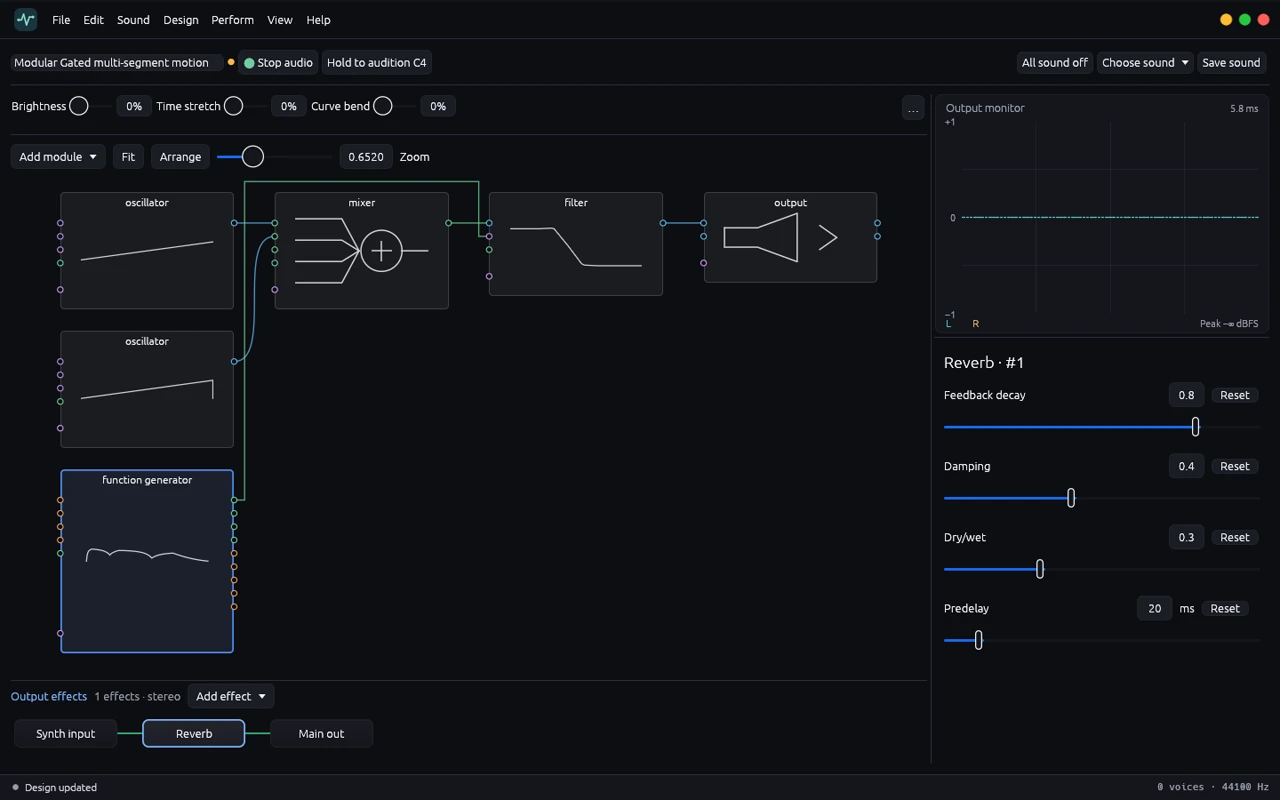
Follow each oscillator through the mixer, filter and output. Inspect a module by selecting it in the graph.
Wire oscillators, filters and modulators in an editable graph. Audition a note as you work, read the output waveform, and keep the effects chain visible beneath the patch.
 Watch demo · 0:35
Follow each oscillator through the mixer, filter and output. Inspect a module by selecting it in the graph.
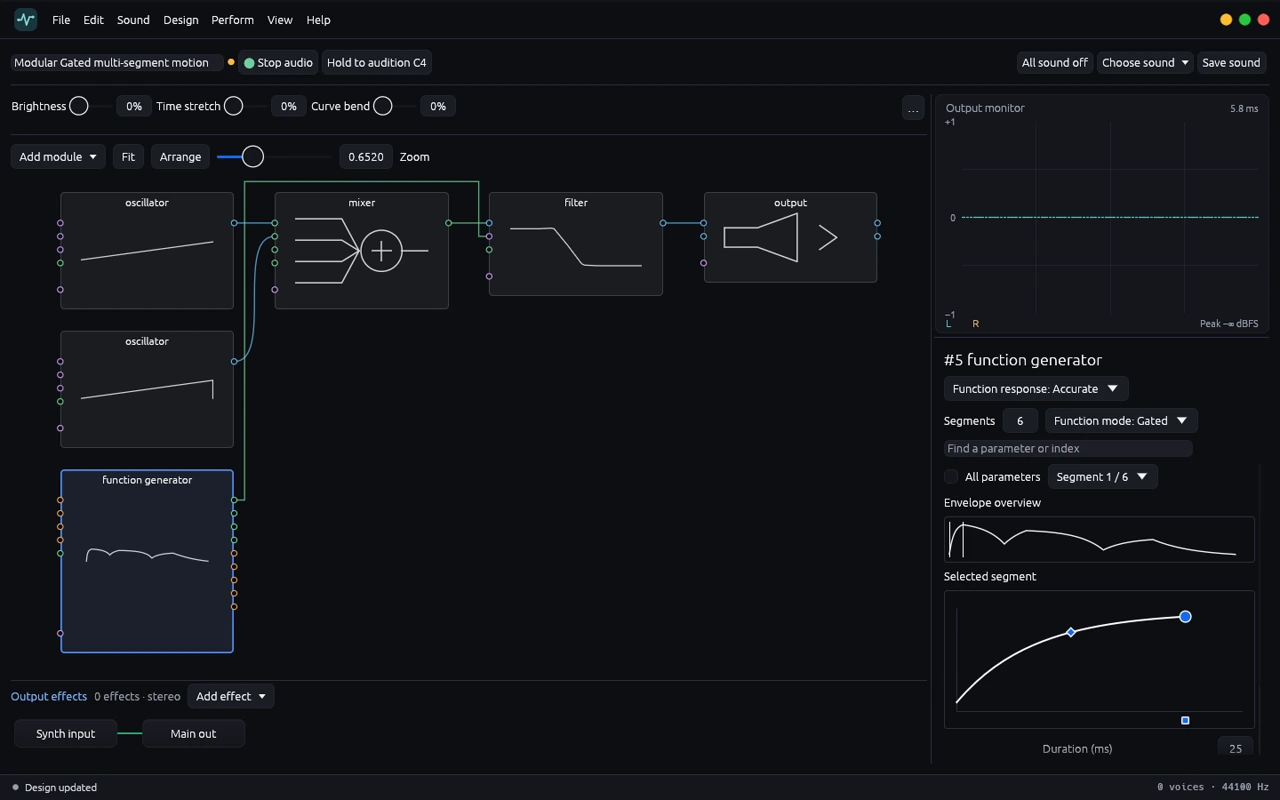
Edit the contour of a multisegment function generator and route it to a parameter such as filter cutoff.
Hold C4 or play through a configured MIDI input. Compare parameter changes against the same note and watch the stereo monitor.
Add a stereo effect after the synth graph. Open its controls in the details panel and compare the sound with processing bypassed.
Produced in Tone Forge 0.1.0 on Linux.
The first audition from the video. Hear the two saw oscillators through the original low-pass setting.
The second audition with the same note and oscillator mix. Listen to the change in brightness.
Views
Sound design examples
Three ways to use the graph, the parameter inspector and the output monitor together.
Tone Forge is a standalone desktop modular synthesizer. You connect oscillators, filters, gain stages and modulators in a graph and play the result through an output effects chain.
Use cases and boundaries
Workflow
Start with an oscillator, choose a waveform, and send it through a low-pass filter into the output. Start audio and hold C4 to verify the route before adding a modulator.
Reference: Build your first modular patchKeep the pitch, waveform and mixer levels fixed. Lower cutoff between two auditions and compare brightness. The recordings on this page come from the live graph.
Reference: Try the filter listening exerciseA multisegment function generator shapes a parameter over time. Use an initial rise and a slower fall to vary the filter across a held note.
Reference: Shape a patch with an envelopePlace reverb or echo in the output effects lane. Listen first to the dry sound, then compare the wet sound at a similar level.
Reference: Compare dry and wet output