
Turn Chord Charts Into MIDI, WAV, and PDF Backing Assets
Turn any JamLoom chord chart into Type-1 multi-track MIDI for DAWs, stereo WAV mixes, and printable PDF lead sheets for consistent band rehearsal and lessons.
Writing a chord progression is rarely the end of the job. Songwriters want separate bass, drum, and guitar lanes inside a DAW so they can audition flagship virtual instruments. Bandleaders need a dependable stereo audio bounce everyone can stream on phones before rehearsal. Music teachers need a crisp printed lead sheet whose barlines, repeats, and slash chords match the audio bar for bar. JamLoom generates all three deliverables—Type-1 MIDI, rendered WAV, and printable PDF—from one editable local chart.
This guide outlines a clean export pipeline from chart verification through DAW MIDI arrangement and rehearsal bundle delivery on Windows and Linux.
Choosing the right export format for each job
| Export format | What JamLoom writes | Best destination | Key check before sharing |
|---|---|---|---|
Type-1 MIDI (.mid) |
Separate bass, drums, and guitar event tracks aligned to chart BPM and bars | Reaper, Ableton Live, Cubase, FL Studio, Logic, Ardour | Verify imported tempo map and drum kit note mapping |
Rendered WAV (.wav) |
Stereo backing audio matching active mixer faders and section guitar effects | Audio players, rehearsal playlists, student practice folders | Listen to bar one count-in, section handoffs, and ending decay |
Printable PDF (.pdf) |
Clean chord symbols, slash bass notes, barlines, repeats, and section labels | Music stands, tablets, classroom handouts | Confirm page breaks, key label, and repeat structure match audio |
Lock down harmony, repeats, and section tones first
Every downstream export reflects the exact chart currently open in your session, so verify musical details once before bouncing any files.
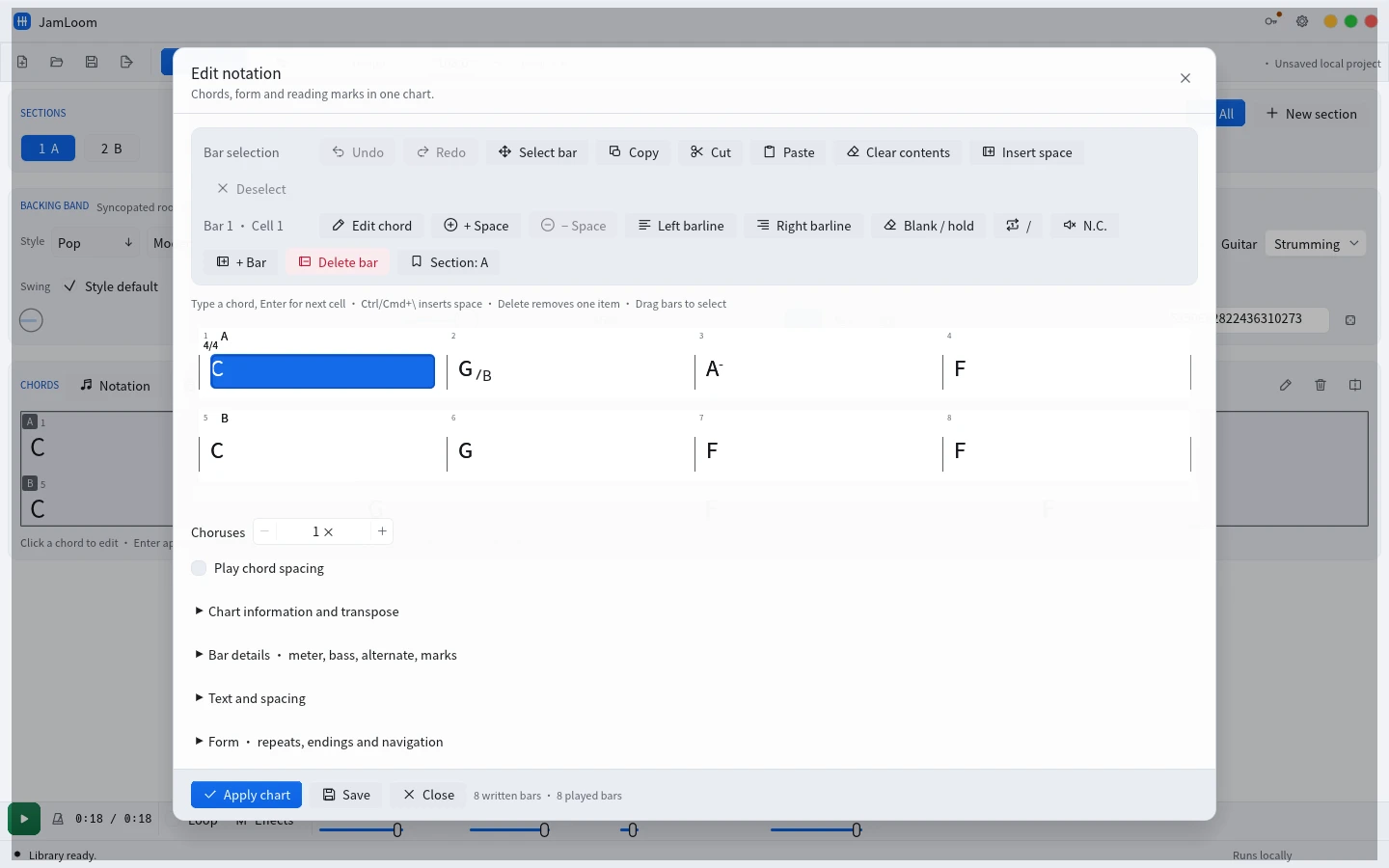
Open Notation to audit barlines, repeat brackets, section names, and slash bass chords together. A single G changed to G/B alters how the bass walks across a verse turnaround, and catching a misplaced repeat before exporting saves you from re-sending mismatched files to the whole band. Next, open Effects to tailor section guitar tone where needed—for example keeping a clean verse accompaniment and adding subtle drive for a chorus—and balance the bottom mixer faders for bass, drums, and guitar.
If you are building a fresh progression from scratch, start with generate and practice with your first backing track to verify bar lengths and section boundaries first.
Export Type-1 multi-track MIDI for DAW production
When a sketch belongs in a full mix, export MIDI from JamLoom. Because JamLoom writes standard Type-1 multi-track MIDI, bass, drums, and guitar land on separate tracks locked to your song's exact tempo grid instead of collapsing onto one tangled channel.
Follow a fast three-step import check inside your DAW:
- Drag the exported
.midfile into a new project and accept the embedded tempo and time signature metadata. - Assign your preferred virtual bass, drum kit, and guitar or keyboard plugins to their corresponding tracks, verifying that the drum channel maps cleanly to standard General MIDI kick, snare, and hi-hat positions.
- Place JamLoom's rendered WAV bounce on a muted reference track starting at bar one. Toggling between your new DAW instruments and the reference WAV confirms immediately that every turnaround, slash bass movement, and bar count matches your original idea.
Render tailored WAV mixes for rehearsal and lessons
Students and bandmates rarely want to configure plugins just to rehearse a tune before Friday night. Export a stereo WAV mix whenever collaborators need instant, reliable playback on any phone, laptop, or rehearsal PA.
Think in role-specific versions rather than one generic bounce. Pull the backing guitar fader down to render a guitar-minus practice mix for rhythm players, or mute the bass channel to deliver a bass-minus rehearsal track while keeping the full mix on hand as a reference. Listen back to every exported WAV in an external media player from start to finish so you catch clipping, abrupt endings, or unexpected balance shifts between sections before sending it out.
Print matching PDF chord charts for the stand
Audio alone forces musicians to transcribe changes by ear before rehearsal even starts. Export a PDF chord chart from the exact same JamLoom session so every printed stand sheet and tablet file mirrors the exported WAV and MIDI down to the bar.
Before distributing the PDF, check that section labels stand out clearly, slash chords read unambiguously at arm's length, and tempo plus concert key are noted consistently in your file names. A disciplined naming pattern—such as autumn-turnaround_Dm_118bpm_full-mix.wav, autumn-turnaround_Dm_118bpm_no-guitar.wav, autumn-turnaround_Dm_118bpm.mid, and autumn-turnaround_Dm_118bpm_chart.pdf—keeps classrooms and gig folders organized across Windows, Linux, and mobile devices.
For a shorter quick-reference checklist on each export control, consult the MIDI, WAV, and PDF export help guide.
Free exports in Community, portable .jamloom archives when you need them
JamLoom runs locally on Windows x64 (.exe installer and Microsoft Store) and Linux x64 (AppImage, DEB, and RPM) with zero cloud uploads or watermarks. Type-1 MIDI, WAV, and PDF export are included free forever in Community Edition—grab the native build from the JamLoom download page. When your studio or teaching practice needs to save and reopen portable .jamloom project files across weeks of revisions, review one-time Professional (1 device), Team (up to 3 devices), and Microsoft Store unlock options on the JamLoom license page.
Pair this export pipeline with our offline jazz and blues practice workflow, review turning a chord progression into a backing track, browse the chord backing track FAQ, or compare tools in JamLoom vs iReal Pro and Band-in-a-Box. A Simplified Chinese edition of this export workflow is also available.