
Start from a transposable progression
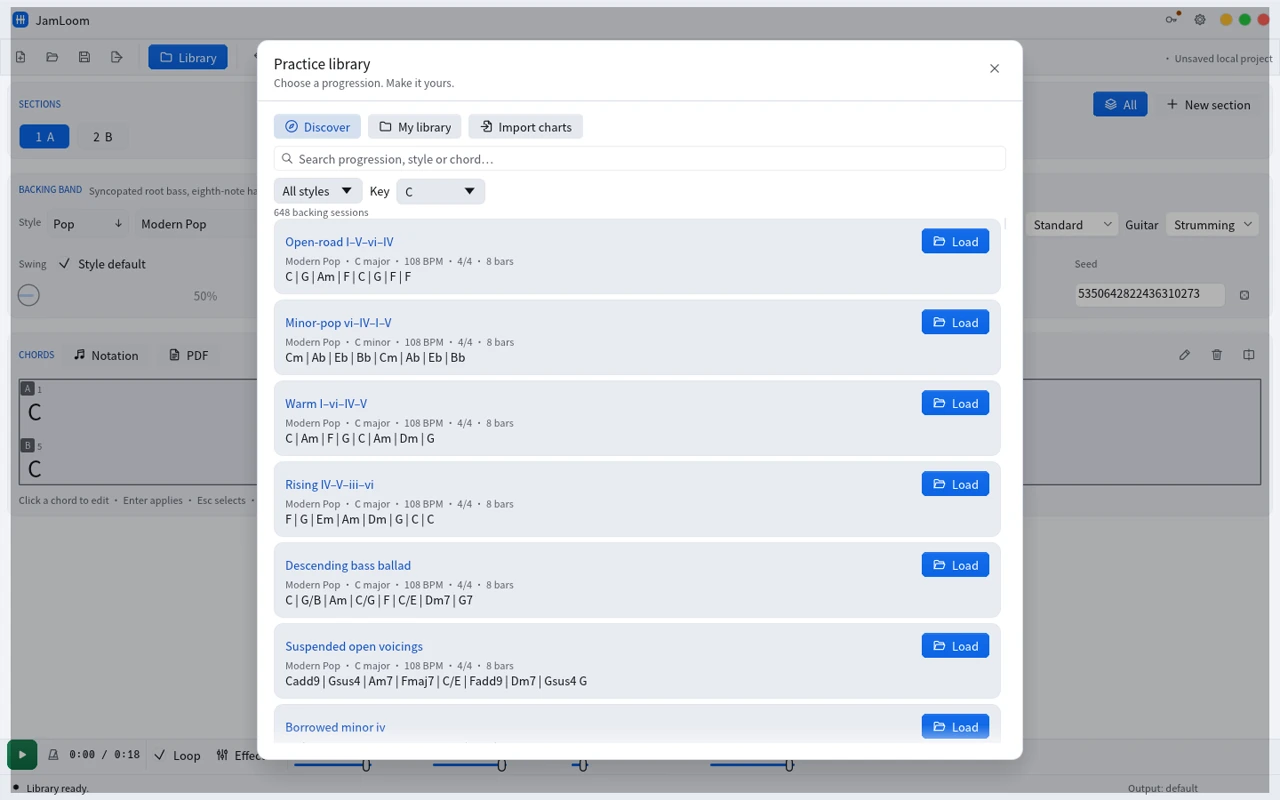
Browse 648 practice sessions across 54 band recipes in version 0.1.0. Pick a tonic and load the editable chart.
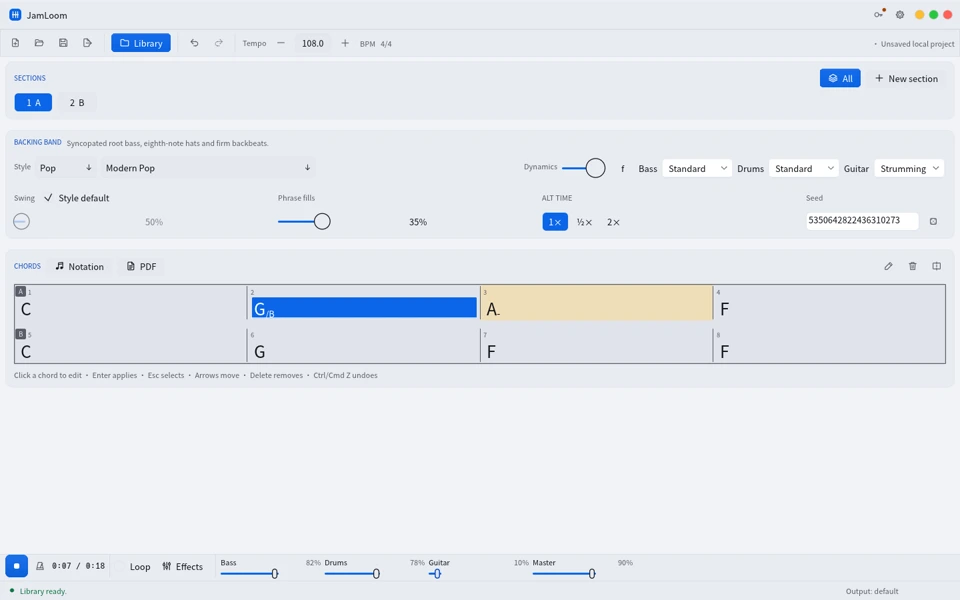
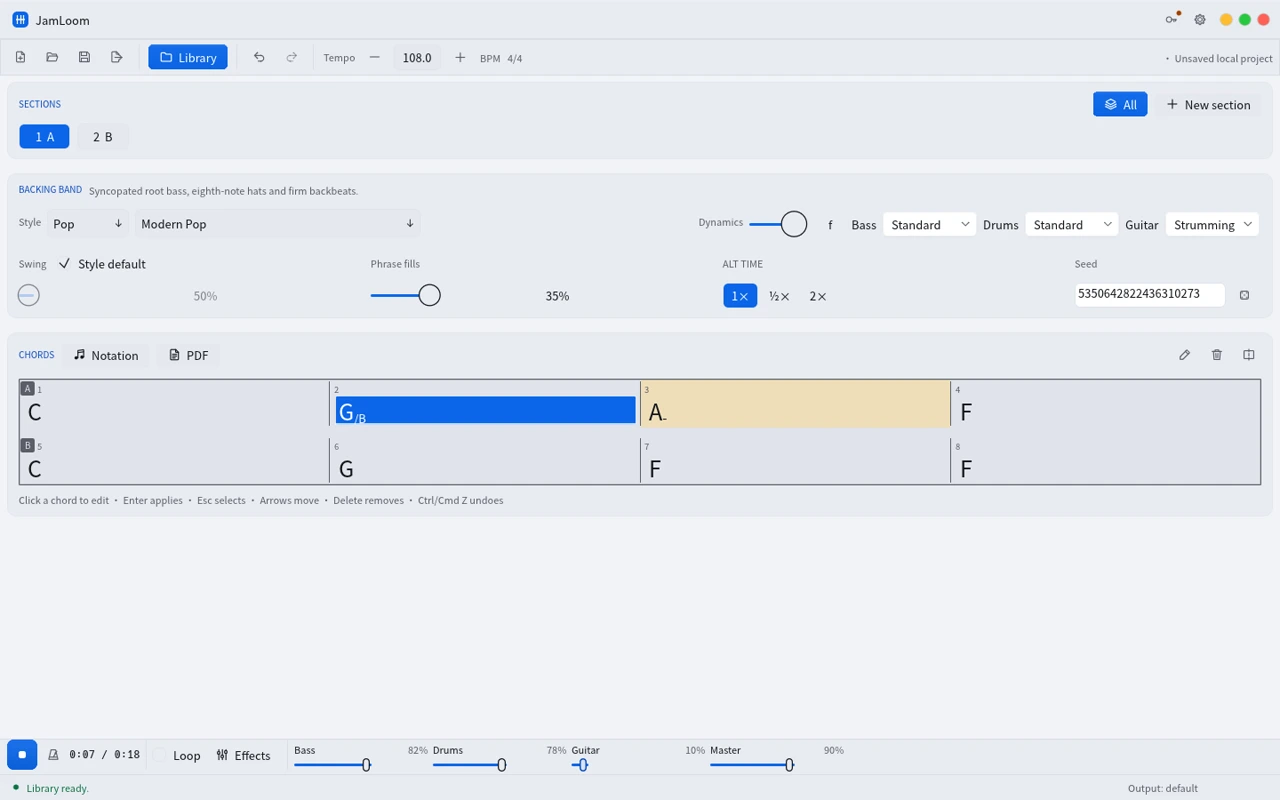
Build an editable song from a progression. Hear bass, drums and guitar follow the changes, then loop a section or adjust the mix to make space for your instrument.
 Watch demo · 0:36
Browse 648 practice sessions across 54 band recipes in version 0.1.0. Pick a tonic and load the editable chart.
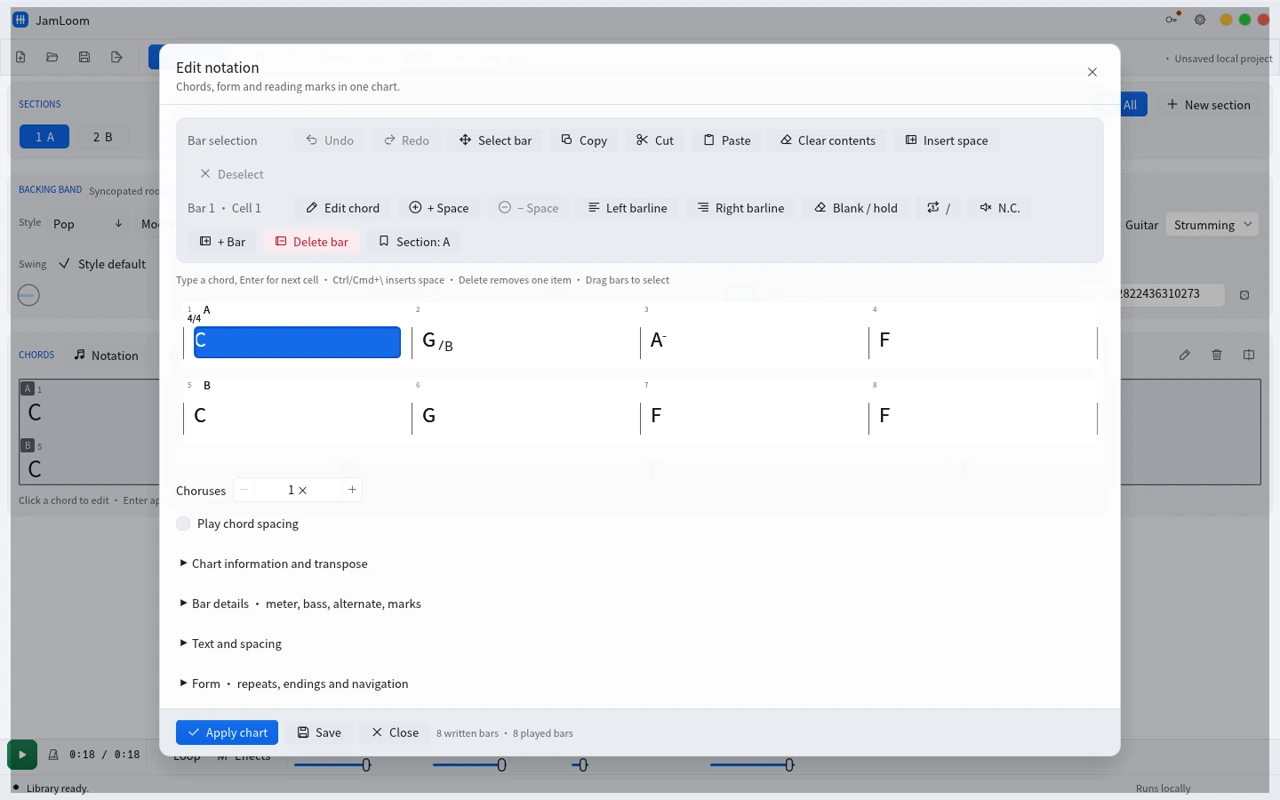
Change chord symbols and slash bass notes by bar. Build sections, choose what plays, and open Notation for barlines, repeats and transposition.
Control the bass, drums and guitar levels separately. Slow the rehearsal and loop a section without typing the chart again.
Use a WAV mix for playback, MIDI for editable events in a DAW, or a PDF chart for rehearsals and lessons.
Produced in JamLoom 0.1.0 on Linux.
Am–F–C–G at 112 BPM with bass, drums and guitar. The MIDI file and chart below use this same progression.
The drums from the same render. Hear the beat and fills with the harmony parts out of the mix.
Import the Type-1 MIDI into a DAW and assign instruments to the accompaniment tracks.
Download MIDIUse the one-page chart to follow the four-bar progression against the backing mix.
Download PDFViews
Practice, arranging and lessons
Use a chart as the shared reference for what the band plays, how you practice and what you send to other musicians.
Yes. Enter chord symbols in the chart, arrange the sections, and choose a band style. The bass, drums and guitar follow the chart.
Use cases and boundaries
Workflow
Start with a four-bar progression or load a library study. JamLoom generates the backing parts from the written harmony and the selected style.
Reference: Build a first practice trackChoose the tonic before loading a library session. The preview shows the transposed chords, including the bass note in slash chords.
Reference: Transpose a practice progressionSelect one section, use Loop, and lower the backing guitar in the mixer. Keep bass and drums audible so you can hear where the next chord lands.
Reference: Set up a loop with a bandTake the generated notes into a DAW with MIDI, send a mix as WAV or share the PDF chart alongside the audio.
Reference: Choose MIDI, WAV or PDF