
Loop a guitar practice section with bass and drums
A practice loop gives you repeated passes through one chord change or phrase. A useful loop includes enough lead-in to feel where the difficult passage starts. In JamLoom you can select a section from the chart, keep bass and drums audible, and turn down the part you want to play yourself.
Choose a passage with a clear start and end
Load the eight-bar Open-road I–V–vi–IV session from the library, or start with two sections in your own project. The real desktop walkthrough loads this session and shows how the section controls and transport appear at the same time. Look at the two rows before you start playback. Pick a section where you can hear the harmony resolve or lead into the next bar.
Click the section button for the passage. If the All control is highlighted, toggle it off to work on the selected section. Use the short chart in that view to confirm the first and final chords. Listen once before you enable Loop. This is useful when two sections share the same opening chord and sound similar for the first beat.
Set a tempo you can repeat
Use the toolbar tempo to slow the session to a speed that lets you place each strum or picked note in time. Start playback. Use the moving chart highlight to match bar positions with the bass and drum attacks. Once the initial pass is clear, enable Loop at the transport. The accented downbeat is a reference when the end of the section wraps back to the beginning.
Choose a version of the guitar fingering you can play several times consistently. If a transition still takes too long, lower the speed one more step. Practice hitting the first beat of the new bar, then fill in the notes within that measure. When you repeat for several passes, check whether the pitch and timing feel as stable on the later repetitions as they did on the first one.
Adjust only the backing part that overlaps yours
The bottom mixer has separate faders for bass, drums, guitar and master. Lower the generated guitar first if you are practicing guitar. Keep enough bass and drums to hear both the chord root motion and the beat. Bass players can lower the supplied bass and leave drums plus guitar audible. Start from the original mix and listen at moderate levels while making these adjustments.
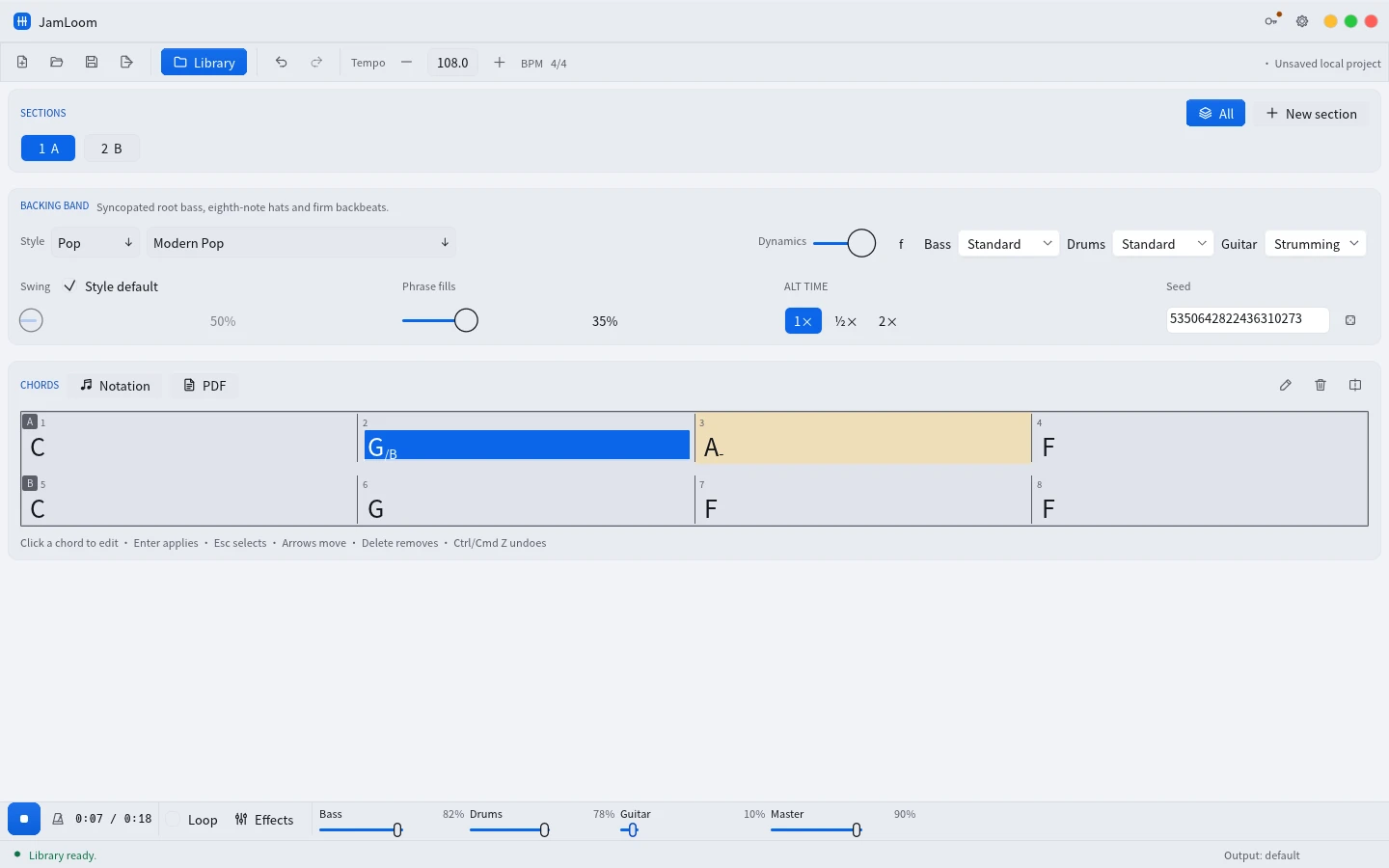
If the guitar is still competing with your playing, check which section and guitar style are active. The Effects window has separate controls for the parts. You can inspect the guitar chain in the selected section while the band plays. The fader gives you a quick practice mix before you decide whether the effect settings themselves need adjustment.
Practice the handoff between sections
After you can play the selected piece several times, turn off Loop and use All to include both sections. Start a bar before the transition when the chart allows it, or play both sections from the beginning. Use the last chord of the first section as the cue for your next position. Stop and choose the single section again if your hands still need a few slower passes.
For a different test, bring the tempo part of the way back up and keep the guitar fader low. Hear whether your part works with the original rhythm while the backing band leaves space for it. Leave the faster version until you can maintain the beat at the intermediate one.
Carry the result into a session or lesson
Keep your edited personal practice session in My library, with the tempo and style you used. Share a WAV if collaborators need to play along without opening JamLoom. A MIDI export is useful when a teacher or arranger wants to change the bass or drum notes in a DAW. Both examples and the printable chart are available in the JamLoom demo library.