
Dental Ark Everything your front desk and operatory need. On your computer. No monthly bill.
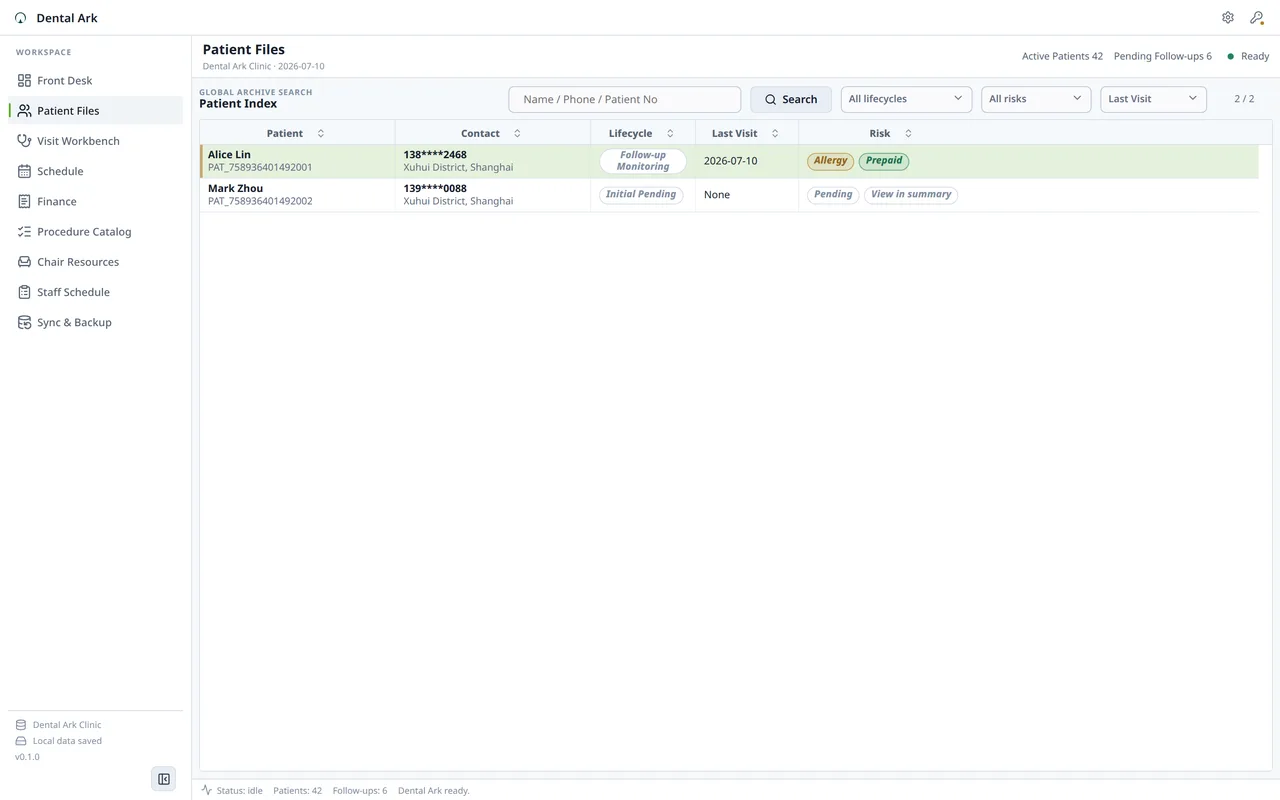
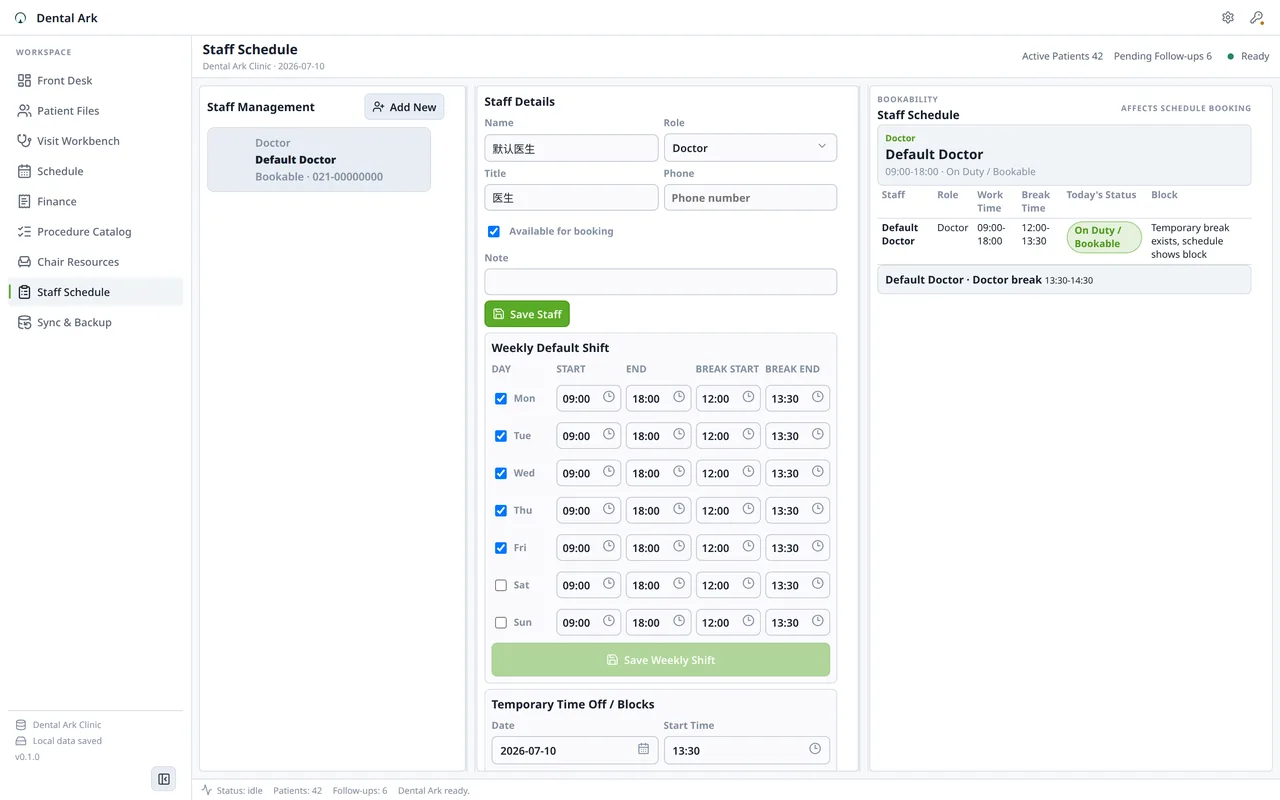
Dental Ark gives a single dental clinic one local system for patients, appointments, visits, FDI tooth charting, treatment records, billing, images, follow-ups, PDF export, and manual backups. No internet required. The Community edition is free. Optional paid editions add advanced workflows; see the product page for current access details.
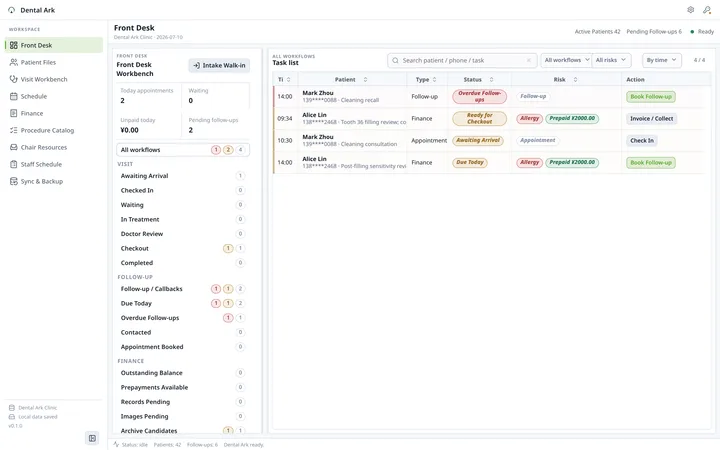
Views
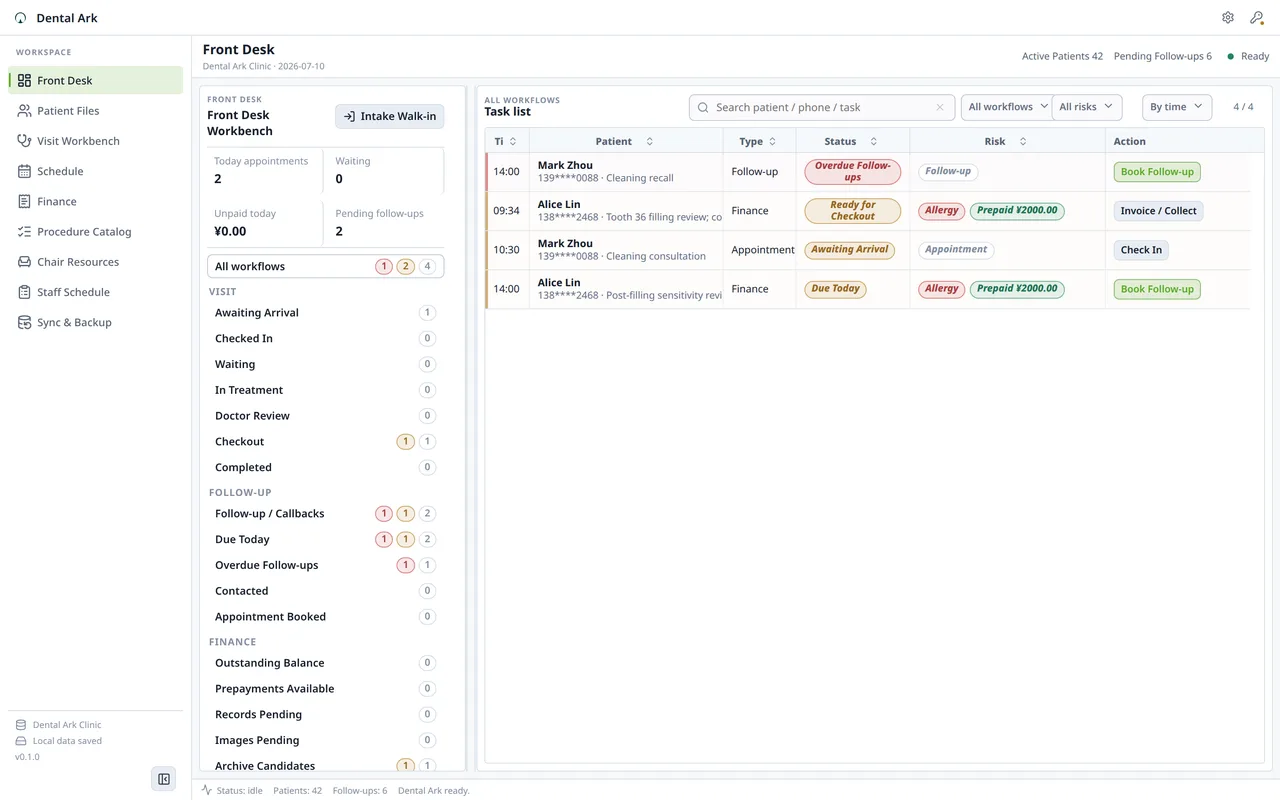
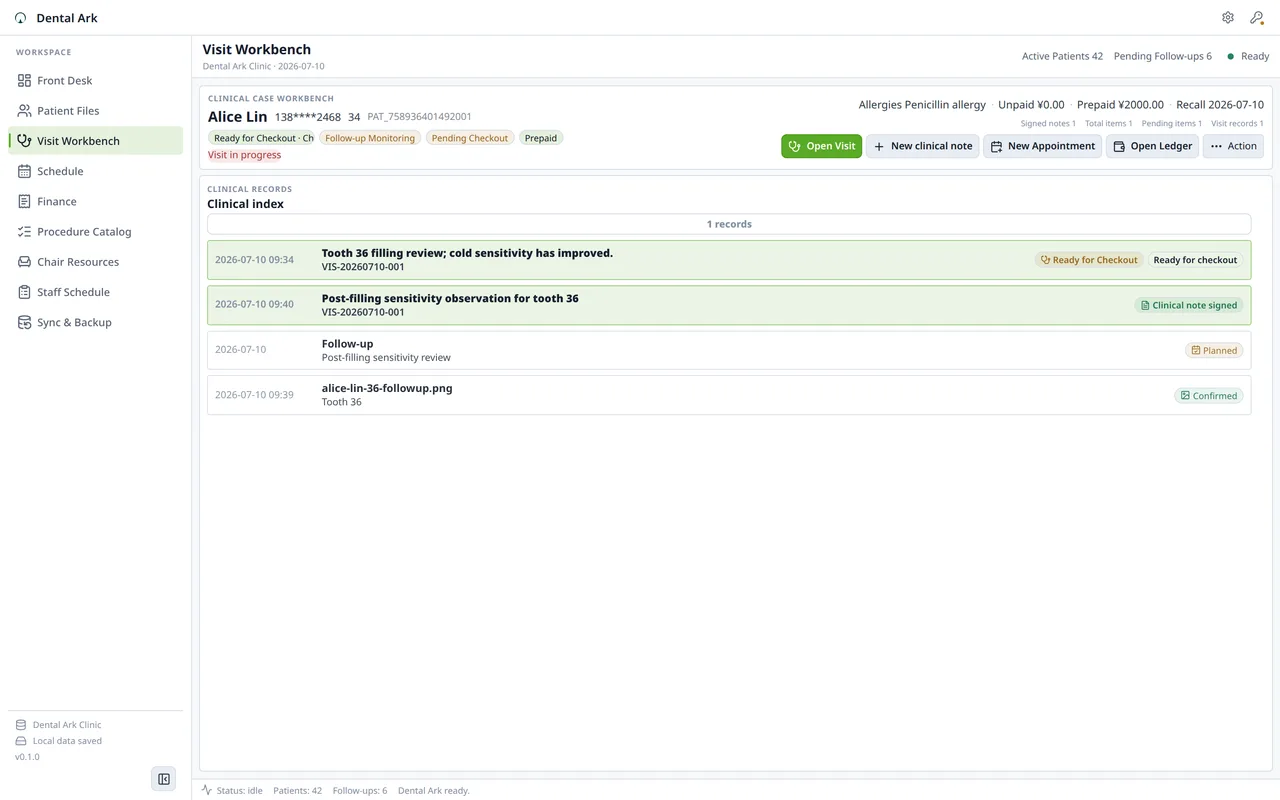
Product views
Why clinic owners choose local over cloud
Patient data belongs in your clinic, not on a subscription server.
Dental Ark is built for clinic owners who want control over their patient data, predictable costs, and a system that works even when the internet doesn't. No AI diagnosis. No cloud dependency. No monthly payment.
Free Community edition. Optional permanent unlock.
- Start with the free Community edition for up to 50 patients, 200 visits, 200 appointments, and 100 images. Optional paid editions add advanced workflows.
- Purchases and activation stay with the distribution channel you choose: website editions use an emailed license key; a Store build exposes native purchase only when that Store offer is published, and restores entitlements through your Microsoft account.
Works offline. Always.
- Internet goes down? Dental Ark keeps running. Patient records, appointments, billing — all local. No "connecting to server" spinner while a patient waits at the front desk.
- Data lives in local SQLite. Images stay in your application data folder. You own the files.
- Manual backup creates a complete zip with database, images, config, and manifest. Copy it to a USB drive, external disk, or network folder.
Built for dental clinics, not adapted from general practice
- FDI tooth charting is native, not an afterthought. Mark conditions per tooth, attach images, and link treatment to specific teeth across visits.
- Appointment → arrival → treatment → record → bill → follow-up: the natural dental visit flow is built into the UI, not hidden behind menus.
- Front desk view and dentist view show different information — reception sees the queue and schedule, dentists see patient history and tooth records.
Patient data stays under your control
- No cloud server has your patient database. No third party processes your billing data. No "terms of service" can change how you access your own records.
- Export patient records as PDF. Export billing data as CSV. Your data is portable — no vendor lock-in.
- Audit logs track record changes. Drafts → confirmed → archived — every stage is visible. Patient records can't be silently overwritten.
Free
Full clinic workflow for evaluation. Up to 50 patients, 200 visits, 200 appointments, and 100 images. Backups included.
- Patient registration and scheduling
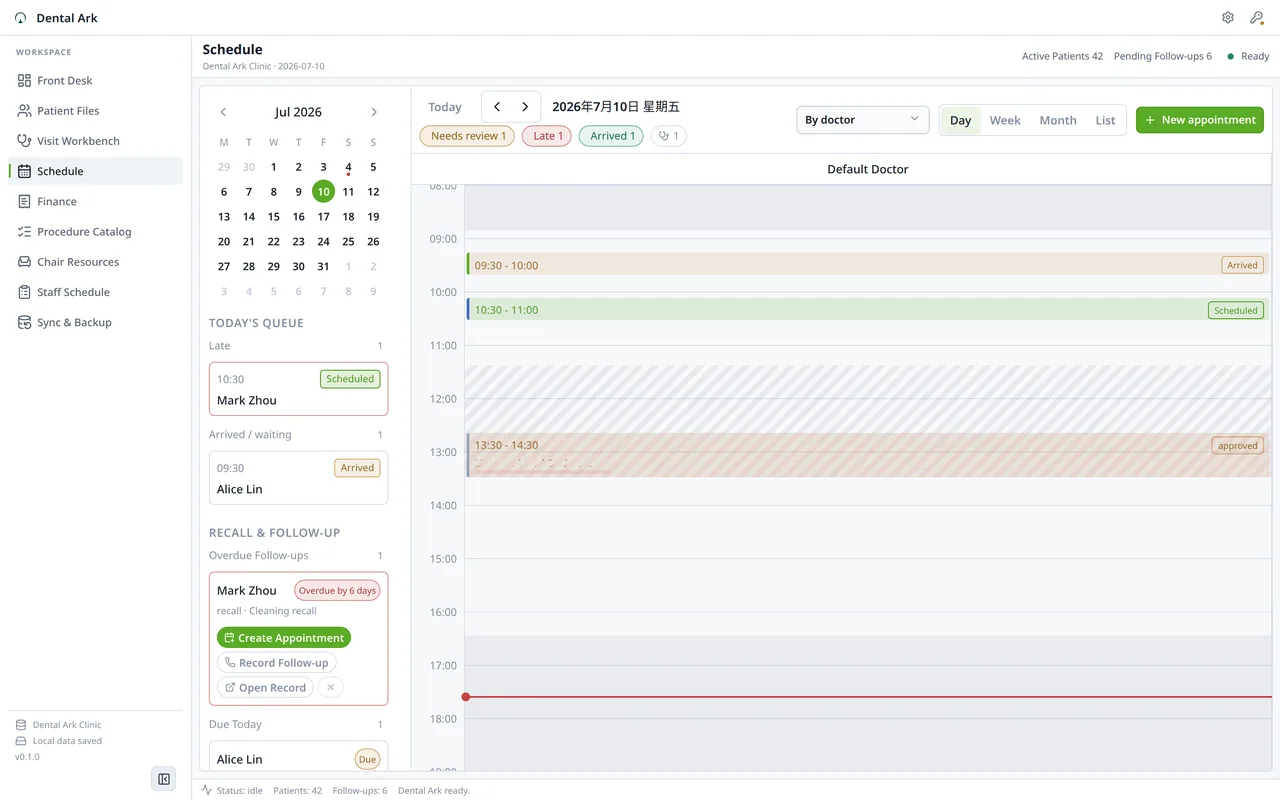
- Appointment calendar and daily queue
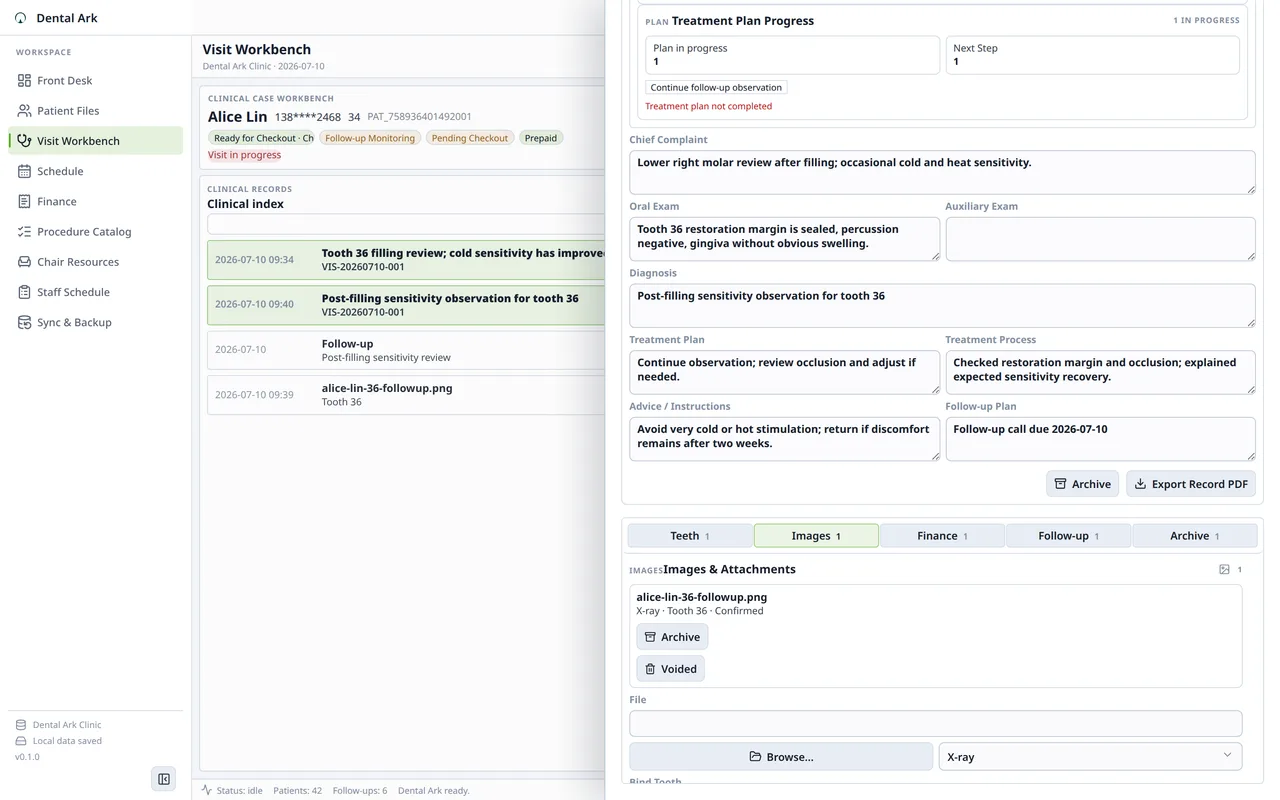
- Visit records and treatment notes
- FDI tooth charting
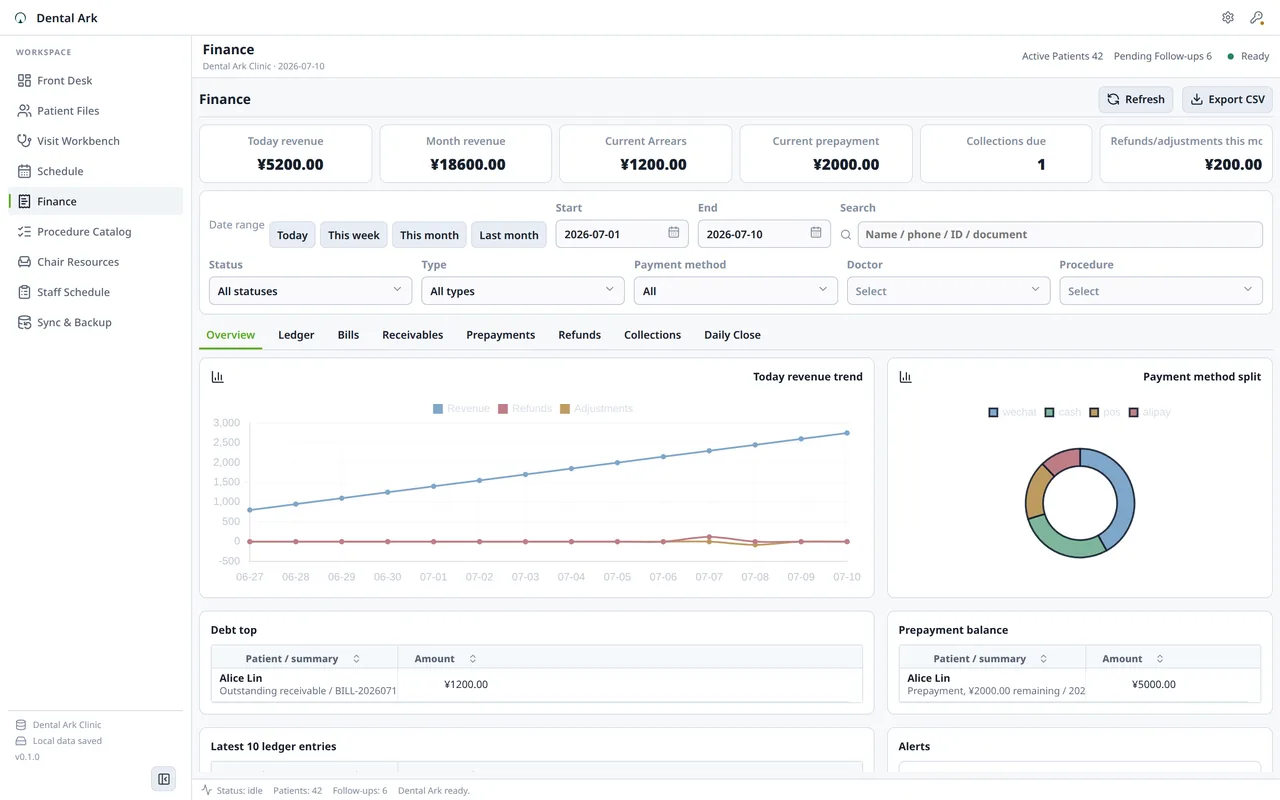
- Billing and payment tracking
Professional
Everything in Community, unlimited. One payment. No subscription. No cloud account needed.
- Unlimited patients, visits, and appointments
- Medical record PDF export
- Billing and statistics CSV export
- Custom clinic branding on exports
- Website checkout activation
Before choosing Dental Ark
Yes. Dental Ark is a local desktop application. All patient data, appointments, records, images, and billing are stored on your computer. No internet connection is required for any core function.
Compare
Dental Ark
Dental Ark gives a single dental clinic one local system for patients, appointments, visits, FDI tooth charting, treatment records, billing, images, follow-ups, PDF export, and manual backups. No internet required. The Community edition is free. Optional paid editions add advanced workflows; see the product page for current access details.
Use cases and boundaries
When Dental Ark is the right tool.
Appointments, patients, billing, treatment notes, tooth charting, and backups
Run the daily clinic workflow locally: schedule visits, keep patient records, bill accurately, and back up the data yourself.
Workflow
-
When the front desk needs the day under control
Open the local schedule, find the patient, see the visit context, update arrival state, and keep follow-up work tied to the same record.
Reference: Dental Patient Record Management for Small Clinics -
When treatment notes must stay reviewable
Attach notes, FDI tooth chart details, images, and visit history to the correct patient and tooth so the clinical record is easy to audit.
Reference: Dental Electronic Health Records on the Desktop -
When billing must match the visit
Record treatment items, payments, adjustments, balances, and receipts in the local ledger without turning the clinic into an insurance clearinghouse.
Reference: Dental Billing Software for Itemized Bills, Payments, and Balances -
When the internet or vendor portal is down
Keep patient records, appointments, charting, billing, images, and backups available on the clinic workstation.
Reference: Dental Clinic Data Backup: Don't Lose 5 Years of Patient Records to a Hard Drive Failure -
When a small clinic wants ownership
Use a local database, local image storage, manual backups, and a one-time license instead of depending on a monthly cloud system for basic operations.
Reference: Cloud Dental Software Alternative: When a Local Desktop Workflow Fits -
When the product stops short on purpose
Dental Ark is for local practice management; marketing services, financing, claims clearinghouses, patient portals, and multi-site enterprise systems are separate tools.
Reference: Dental Software for Solo Practice: One Dentist, One Clear Workflow