
Session Craft Practice local audio with stems, loops, and tempo control.
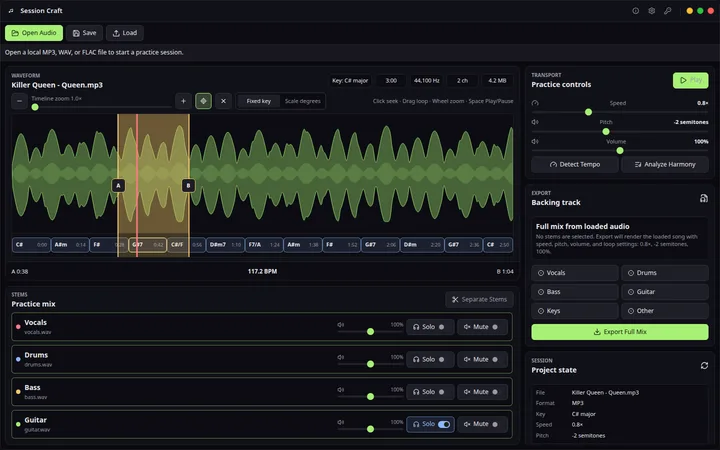
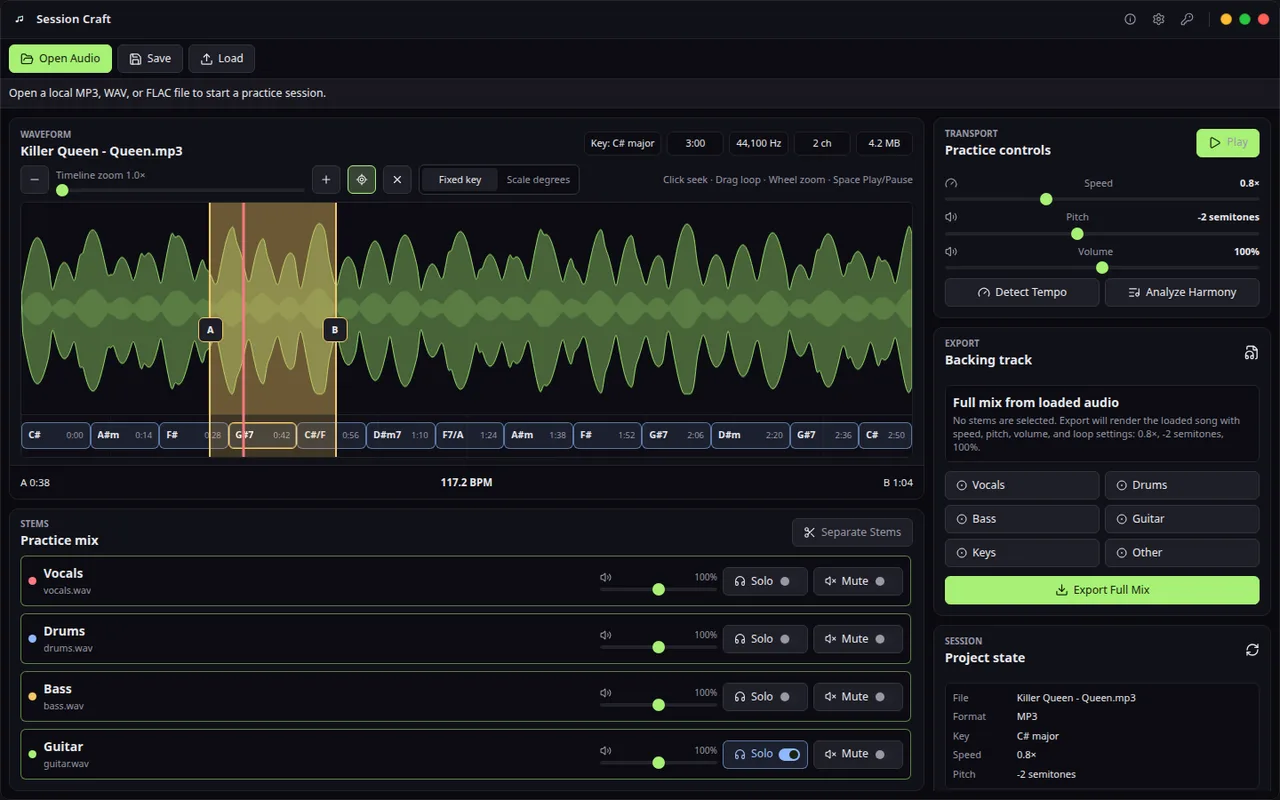
Session Craft turns local audio into a focused practice session: separate the mix, follow the waveform, loop hard sections, shift speed or pitch, read the chord timeline, and export a backing track when the session is ready.
Views
Product views
Private rehearsal from real records
Stop fighting the full mix. Shape it into a session you can actually practice.
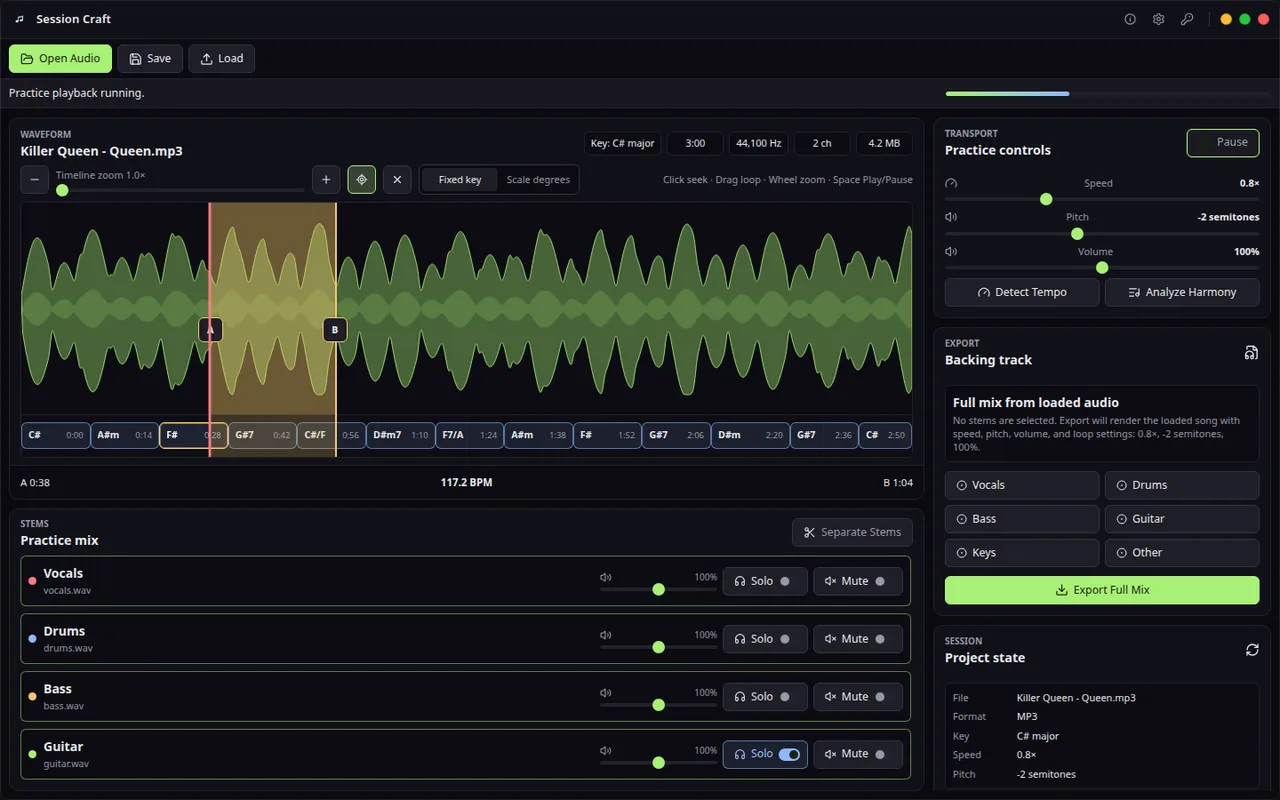
Session Craft keeps stem separation, backing track export, loop practice, tempo, pitch, BPM, chord regions, and follow playback inside one local desktop surface for musicians who need repetition with context.
The source stays yours
- Import MP3, WAV, and FLAC files and build the session around the recording you actually need to learn.
- The workflow is local by design: local files, local projects, private rehearsal material, and no upload-first practice loop.
- Guitar, bass, keys, vocals, and teachers all stay close to the original recording while changing loop, chord, pitch, speed, and mix decisions.
The mix becomes playable
- The free Community edition includes local import, stem playback, stem separation, speed and pitch control, A/B loops, and project save.
- Solo the part you need to study, lower the part you want to replace, or keep drums and bass in place for timing.
- The goal is not a laboratory remix. The goal is a practice mix that makes the next ten minutes more useful.
Repetition stays musical
- A/B loops, speed control, pitch shift, BPM detection, and chord regions live on the same timeline, so repetition does not lose musical context.
- Slow a hard phrase, transpose for the instrument, inspect chord movement, and bring tempo back only when the part is under control.
- Project save and backing-track export turn the session into reusable practice material instead of a one-off playback tweak.
Session Craft: free Community edition and optional advanced workflows
- Chord detection and backing-track export are optional licensed workflows.
- No subscription is needed for the desktop workflow, and no cloud account is required to practice a private rehearsal file.
- Use it when one saved session is worth more than juggling separate stem, slowdown, chord, loop, and export tools.
Free
Local practice workflow with stem separation, speed and pitch control, loops, and project save.
- Audio import
- Stem playback controls
- Local stem separation
- Speed and pitch control
- A/B loop practice
Professional
One-time professional license for chord detection and backing-track export.
- Chord detection
- Backing-track export
- No recurring subscription
- Website checkout activation
Compare
Moises Alternative for Desktop Music Practice
The blue-marked column is the product on this page. The other names are comparison context for buyers who are deciding between focused desktop workflow, cloud accounts, subscriptions, and broader tools. Read why Hannes wins.
| Capability | Session Craft This product | Moises | Amazing Slow Downer | Transcribe! |
|---|---|---|---|---|
| Local desktop practice session | Primary local workflow | Desktop/web/mobile account suite | Desktop/mobile slowdown workflow | Desktop transcription workflow |
| Stem separation | Six local stems in Community | Upload/account processing with options varying by tier | Not the core workflow | Not the core workflow |
| Slowdown without pitch change | Yes | Yes | Core feature | Core feature |
| Pitch/key control | Yes | Yes | Yes | Yes |
| Chord detection/reference | Professional chord regions | AI chord view with tier limits | Not the core workflow | Spectrum and note/chord analysis aids; musician decides |
| Loop practice | Yes | Yes | Yes | Yes |
| Backing-track or altered-audio export | Professional WAV/MP3 workflow | Account export with format/tier differences | Verify exact current file workflow | Can export altered audio |
| Account requirement | No upload-first account workflow for local practice | Login and upload workflow | Local application | Local application |
| Primary job | Local song-to-practice project | Broad AI music and practice suite | Slow, pitch-shift, and loop playback | Detailed listening and transcription assistance |
Before using Session Craft
Moises and Amazing Slow Downer are popular but cloud-dependent or subscription-based. The Community edition is free. Optional paid editions add advanced workflows; see the product page for current access details. Workflow details: stem separation, slowdown, looping, metronome, chord timelines, and project saving without uploading your rehearsal files. See the full comparison on our blog.
Compare
Session Craft
Session Craft turns local audio into a focused practice session: separate the mix, follow the waveform, loop hard sections, shift speed or pitch, read the chord timeline, and export a backing track when the session is ready.
Use cases and boundaries
When Session Craft is the right tool.
Audio import, loop regions, tempo control, stem separation, and chord context
Turn the recording into one local session for loops, slowdown, stem control, chord context, and backing-track export.
Workflow
-
When practice starts from a real recording
Load the local song, create loop regions, slow difficult bars without changing pitch, adjust stems, and keep notes attached to the session.
Reference: Slow Down Music Without Losing Pitch or Practice Context -
When vocals or drums get in the way
Mute, reduce, or isolate stems where available so the musician can rehearse a part, prepare a backing track, or focus on timing.
Reference: How to Export Backing Tracks From Your Practice Sessions -
When tempo work needs more than a click
Keep metronome, tempo changes, loop points, chord context, and practice notes connected to the actual audio being rehearsed.
Reference: Slow Down YouTube for Guitar Practice: A Safe Loop Workflow -
When a passage needs repeated focused work
Loop the hard bars, step the tempo back up gradually, and save the session so the next practice starts from the same setup.
Reference: How to Build a Focused 20-Minute Music Practice Routine -
When a rehearsal track must leave the app
Export a practice mix or backing track after the loop, tempo, and stem choices are ready for another device or rehearsal room.
Reference: How to Isolate Drums From a Song to Practice Bass and Guitar -
When the job belongs in another tool
Use Session Craft for preparing and practicing existing recordings; use a DAW or songwriting tool when the goal is building a finished production from scratch.
Reference: Session Craft Help: Local Stem Practice Overview